Building Your Own Meso
Training on your own? Build a hypertrophy meso in a few steps.
Step By Step
- Open the Plan tab and tap Create Mesocycle (or Create Your First Mesocycle on Train).
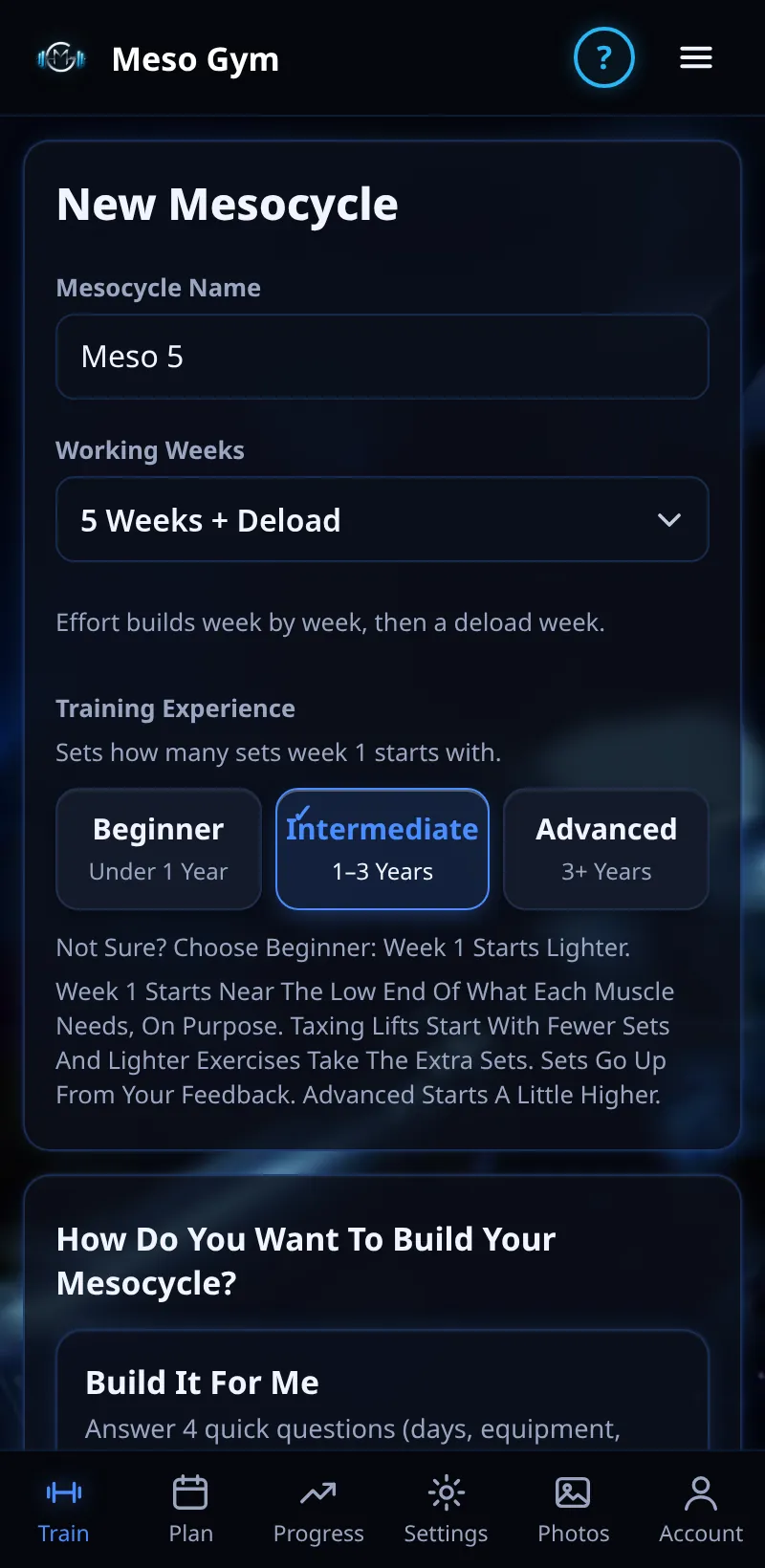
- Step One: name it, then choose your working weeks and your experience: Beginner, Intermediate or Advanced.
- Step Two: choose Build It For Me, Starter Splits or Build My Own, or start from a previous meso.
- Step Three: check it in the Routine Builder and tap Create Mesocycle.
Good To Know
- A deload week is added at the end.
- Not sure about experience? Choose Beginner: it sets how many sets week one starts with.
How It Works
Build It For Me asks four questions (days a week, equipment, experience and muscles to focus on) and fills each day for you. In the builder, Shuffle swaps in different exercises and pin keeps the ones you like. The Weekly Sets per Muscle table shows week one; if a muscle is short, Fix tops it up.
Common Questions
Is my draft saved?
Yes. An unfinished draft waits until you Create or Discard it.
Can I train on set weekdays?
Yes. Pick the weekdays you train in the builder.
In the demo, saving a new meso shows Available In Your Trial.