
Set Types
Myorep Sets
Myorep sets get more growth-driving reps out of a single set in less time. In Meso Gym they're a tap away on the live workout screen, and your progress numbers stay honest.
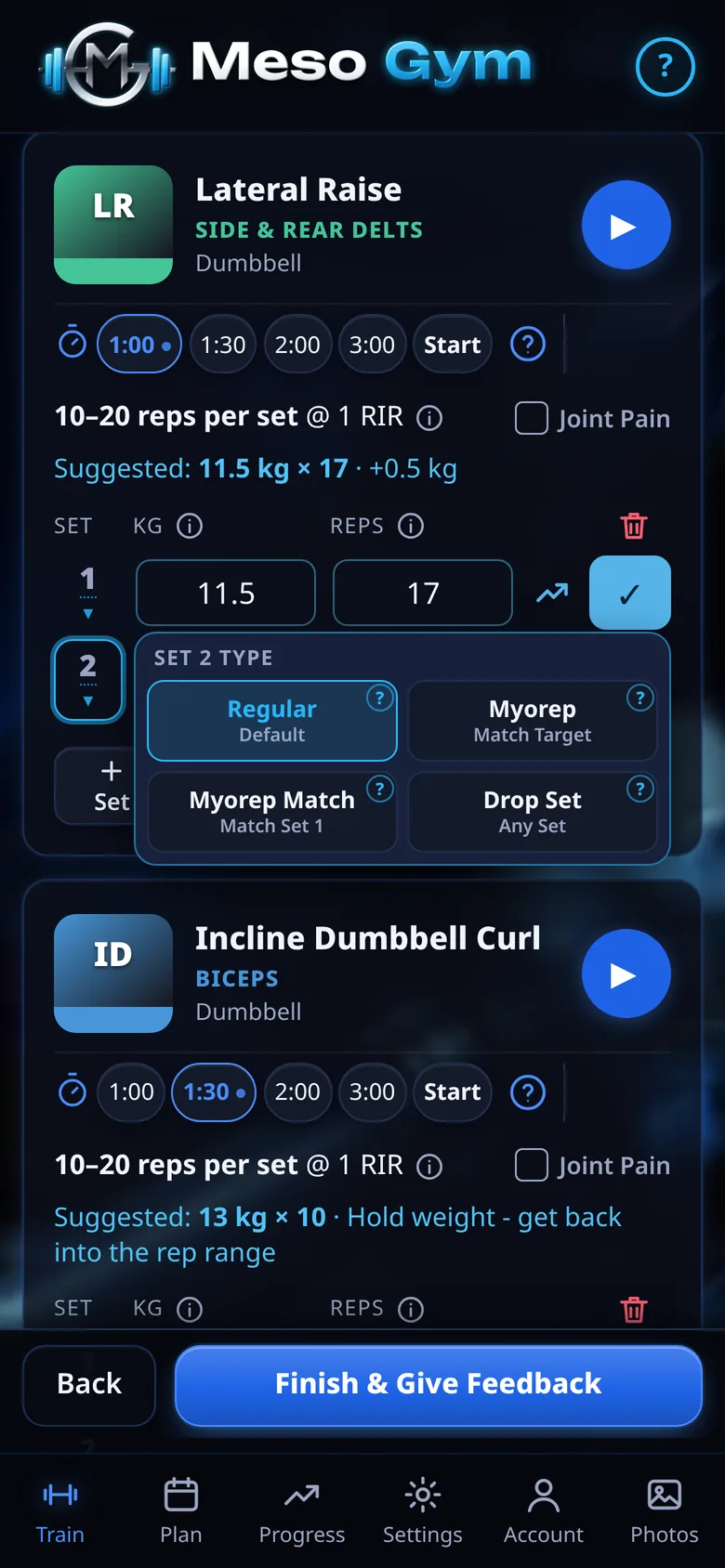
Pick Myorep On Any Set
Tap a set's number and choose its type: Regular, Myorep, Myorep Match or Drop Set. You choose set by set, so the rest of the exercise stays as planned. Tap Help beside any option for a short explainer. It won't change the set.
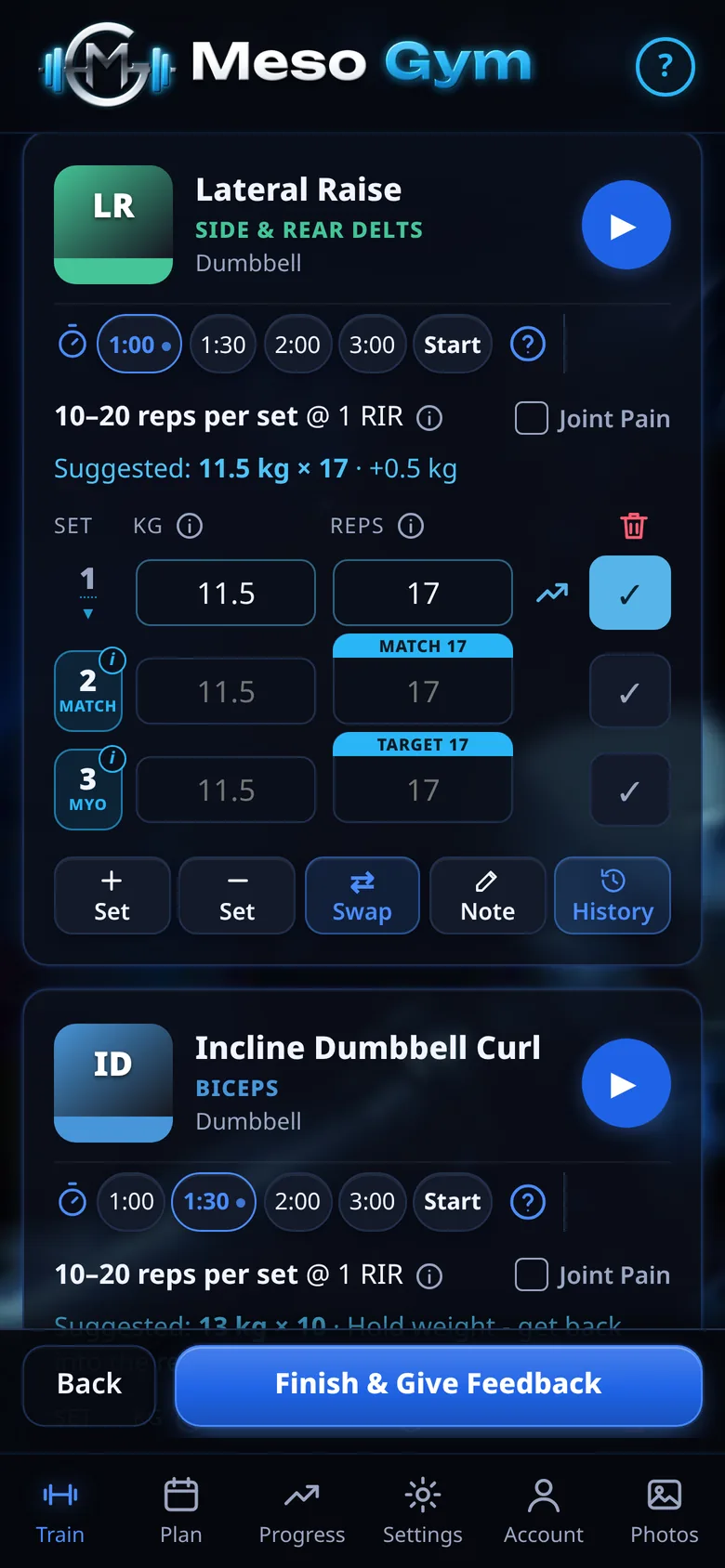
A Clear Target For Your Mini-Sets
Take the set close to failure, pause for 3–5 breaths, then do mini-sets of a few reps until you reach the target. The reps box shows a blue Target strip with the number to aim for, and the set is tagged MYO.
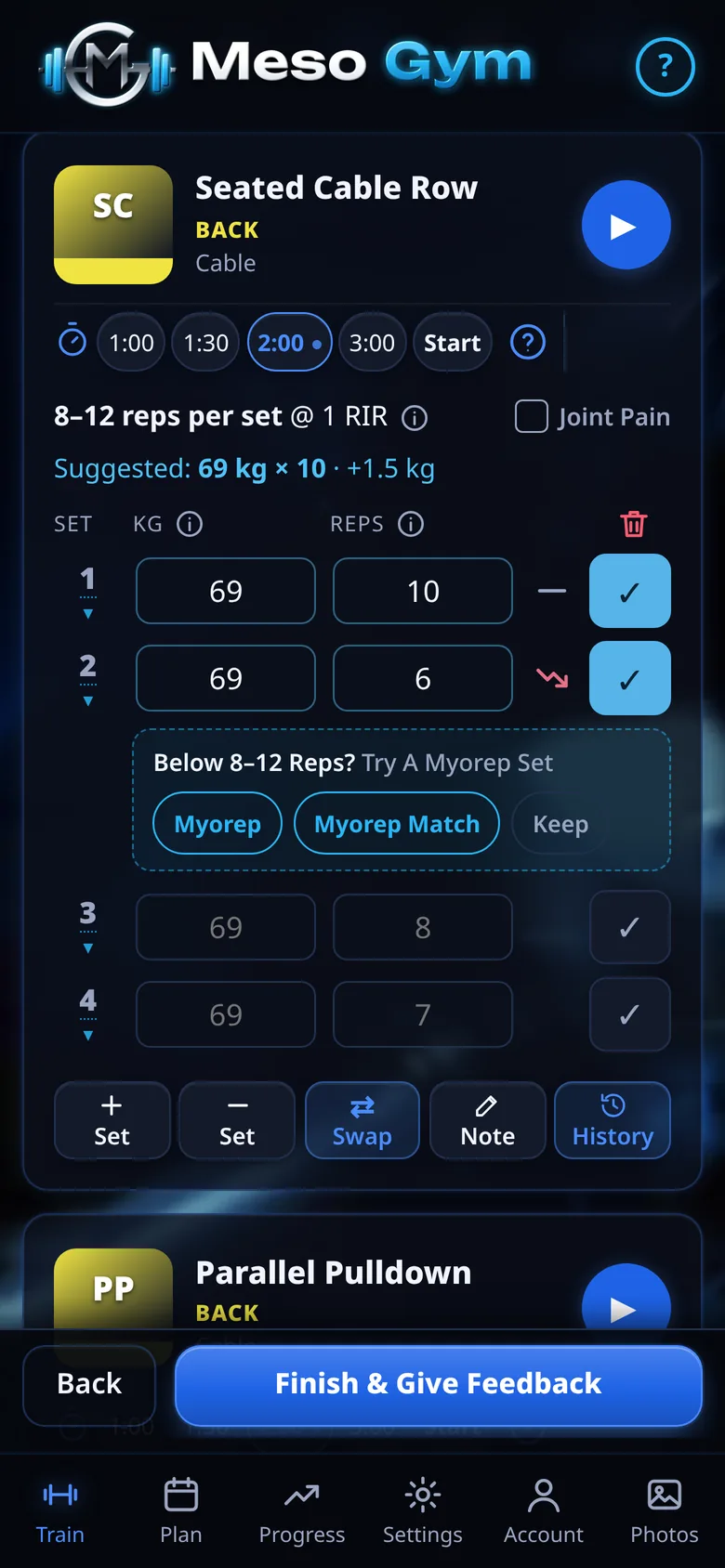
Rescue A Set That Fell Short
Land below the rep range and a small prompt offers Myorep, Myorep Match or Keep. Pick one and finish the work with mini-sets instead of writing the set off.
The app treats it like a missed set, so next week's weight for that exercise holds rather than going up before you're ready.
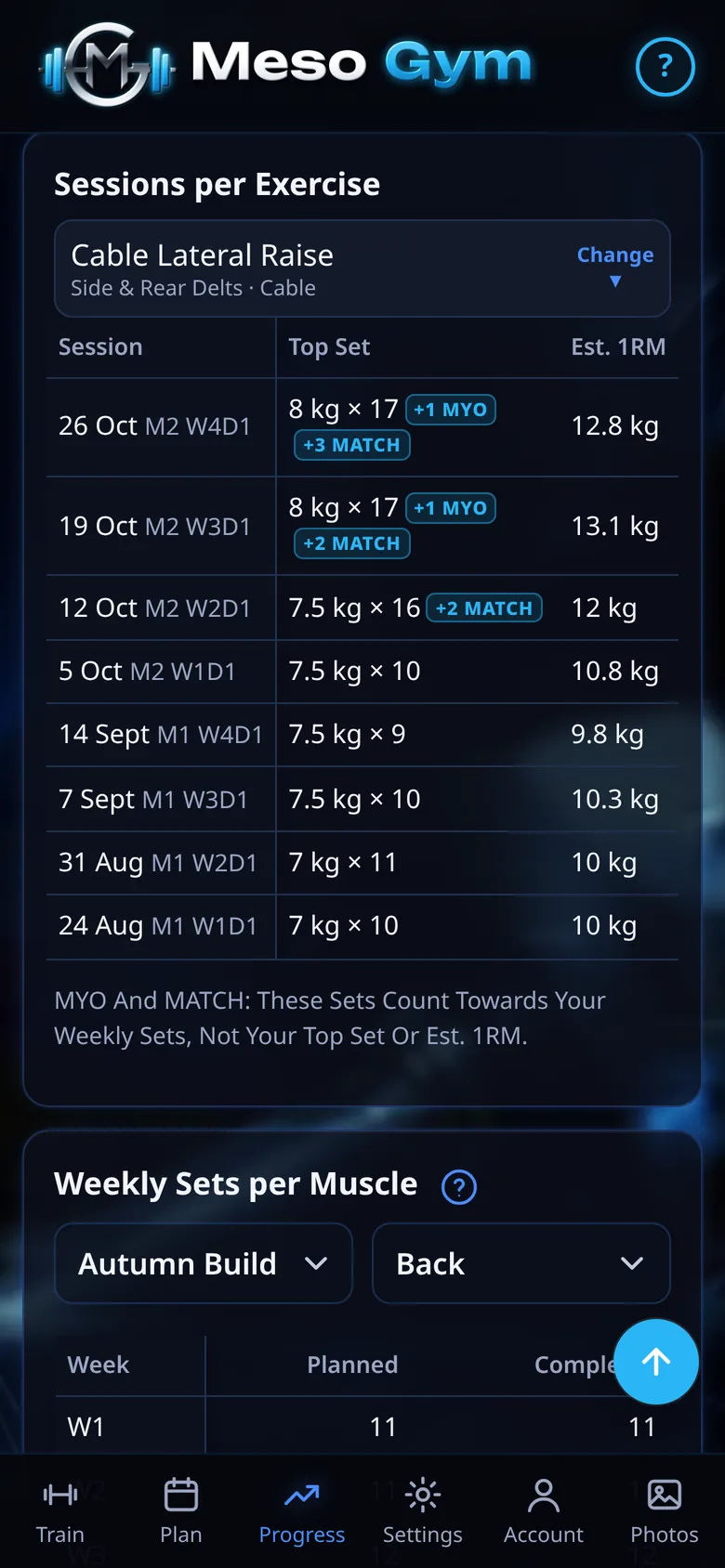
Counted Fairly In Your Progress
A myorep set counts as one set towards your weekly volume, just like a regular set. It's left out of estimated 1RM, best sets and strength trends, because a total made of mini-sets isn't a straight set. Small MYO tags mark it in History, Progress and your trainer's view.
See It In Action
Try It Yourself
Build your plan and log your first two sessions free, then unlock everything with a 7-day Pro trial.