
For Personal Trainers
Trainer Dashboard
For personal trainers with a Meso Gym trainer plan. Your clients train in the app, and you see the training they choose to share. The dashboard is in the Android app and the web app (not the iPhone app).
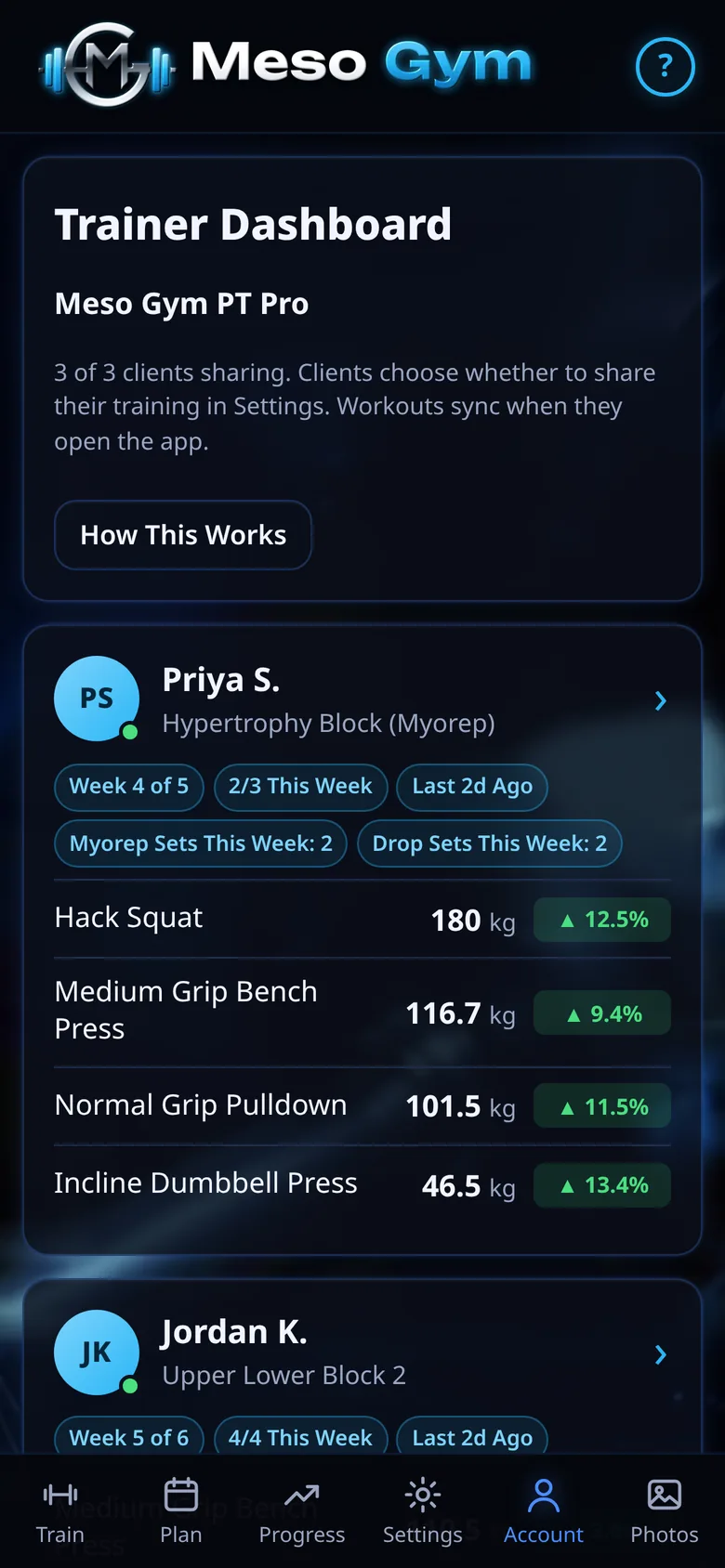
Every Client On One Screen
Each client gets a card with their current meso, the meso week, workouts done this week, when they last trained and any missed workouts. Their main lifts show the latest weight and the change since the meso started.
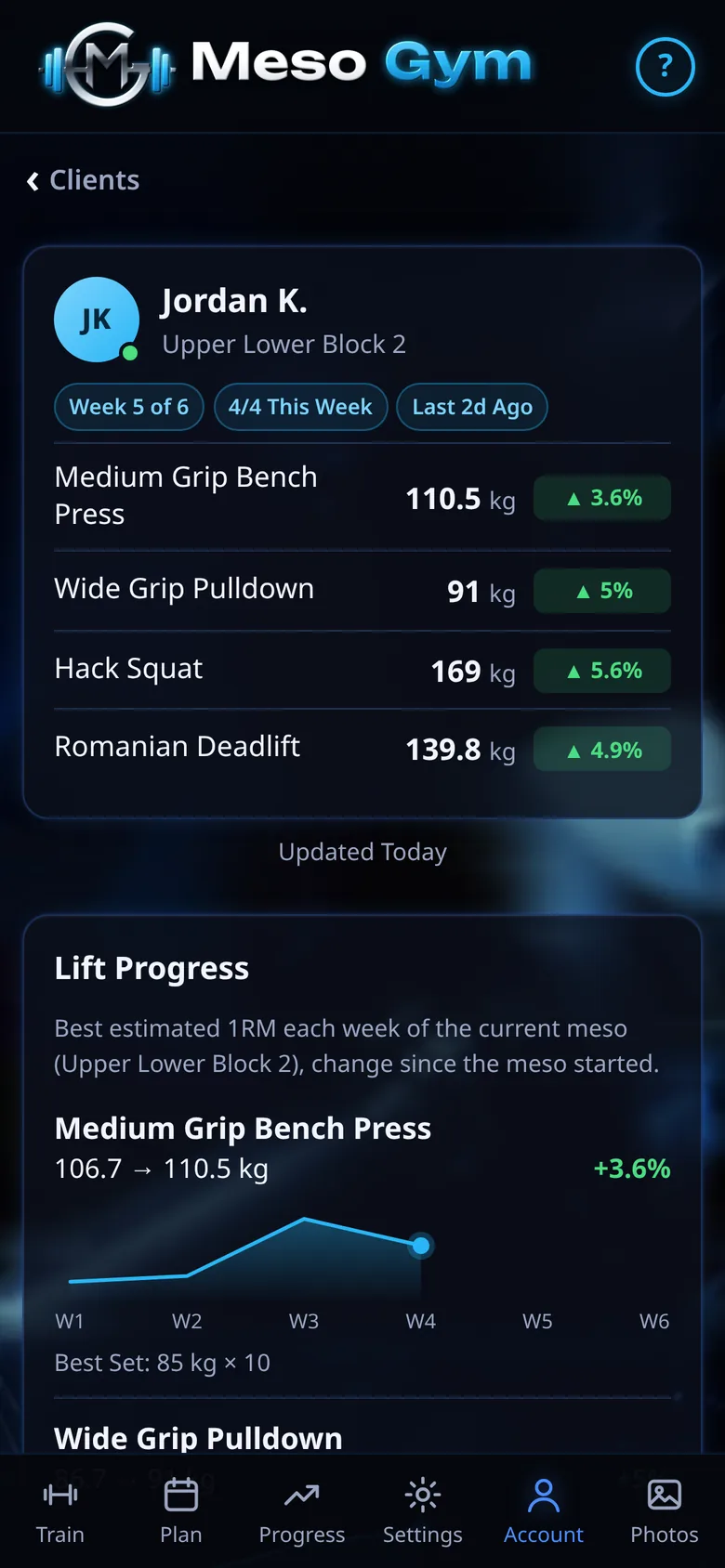
Lift Progress For Each Client
Tap a client to see Lift Progress: each main lift's best estimated 1RM every week of the current meso, the change since the start and their best set.
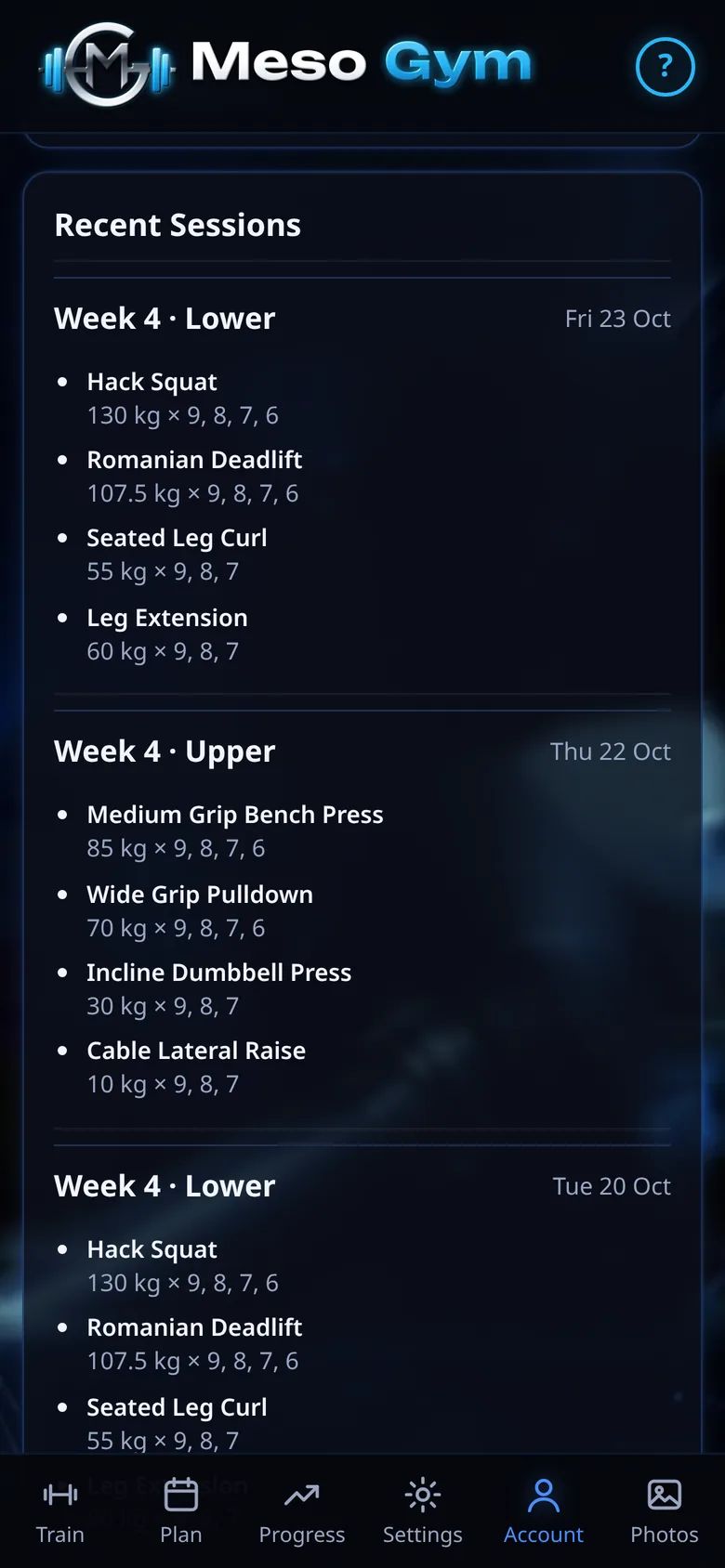
Recent Sessions, Set By Set
Recent Sessions lists every exercise and set, with MYO, MATCH and DROP tags and each drop shown under its set. Badges count the myorep and drop sets they did this week.
Invites And Sharing
Create an invite code and share it with a client. They enter it in the app and get Meso Gym Pro while your plan is active, and their workouts stay in their own account.
Joining your plan shares nothing by itself. Your client turns on Share With My Trainer in Settings, and if they turn it off, the shared copy is deleted straight away. See Trainer Plans for pricing.
See It In Action
Try It Yourself
Build your plan and log your first two sessions free, then unlock everything with a 7-day Pro trial.