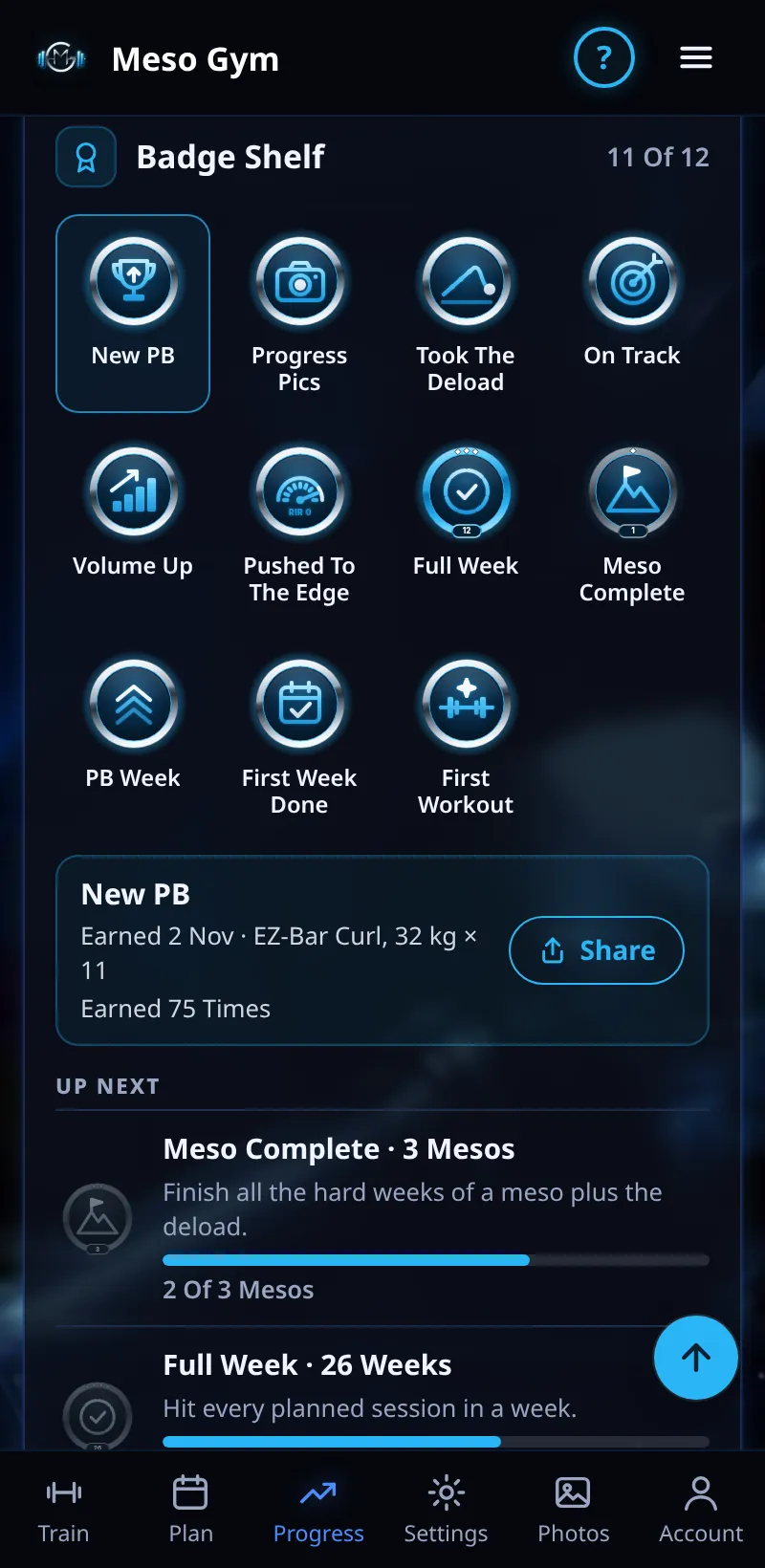
Badge Shelf
Badges for real training milestones, earned from what you've actually logged.
Step By Step
- Open the Progress tab. Your Badge Shelf shows how many you've earned, newest first.
- Tap a badge to see when it was earned and what earned it, and to Share it.
- Up Next shows the badges you're closest to, with progress bars.
- Tap See All to see every badge in its group.
Good To Know
- New badges show as Badge Earned when you finish a workout. Your very first workout gets its own Your 1st Workout screen.
- Meso Summary has a Meso Badges card for the badges that meso earned.
How It Works
Badges come in six groups: Getting Started, Consistency, Mesocycles, Strength And PBs, Body And Check-Ins, and Coach. Examples are First Workout, Full Week, On Track (90% or more of a meso's planned sessions), Comeback (training again after 14 days or more off), Meso Complete, Took The Deload, New PB, PB Week (3 or more PBs in a week) and Progress Pics (photos in 3 different months). Some, like Full Week and Meso Complete, level up from Steel to Silver, Sky and Chrome. Training on your own, there are 12 badges; coached, there are 15, adding Set Up Right, Check-In Regular and Feedback Given.
Common Questions
I've trained for months. Do I start from zero?
No. Badges are filled in from your past training, with the real dates.
Can I lose a badge?
No. Once earned, a badge stays earned.
Can my coach see my badges?
Yes. Your coach sees your latest badges and your full shelf, and New PBs and Meso Complete show in their Group Wins.