Coach Alerts And PB Notifications
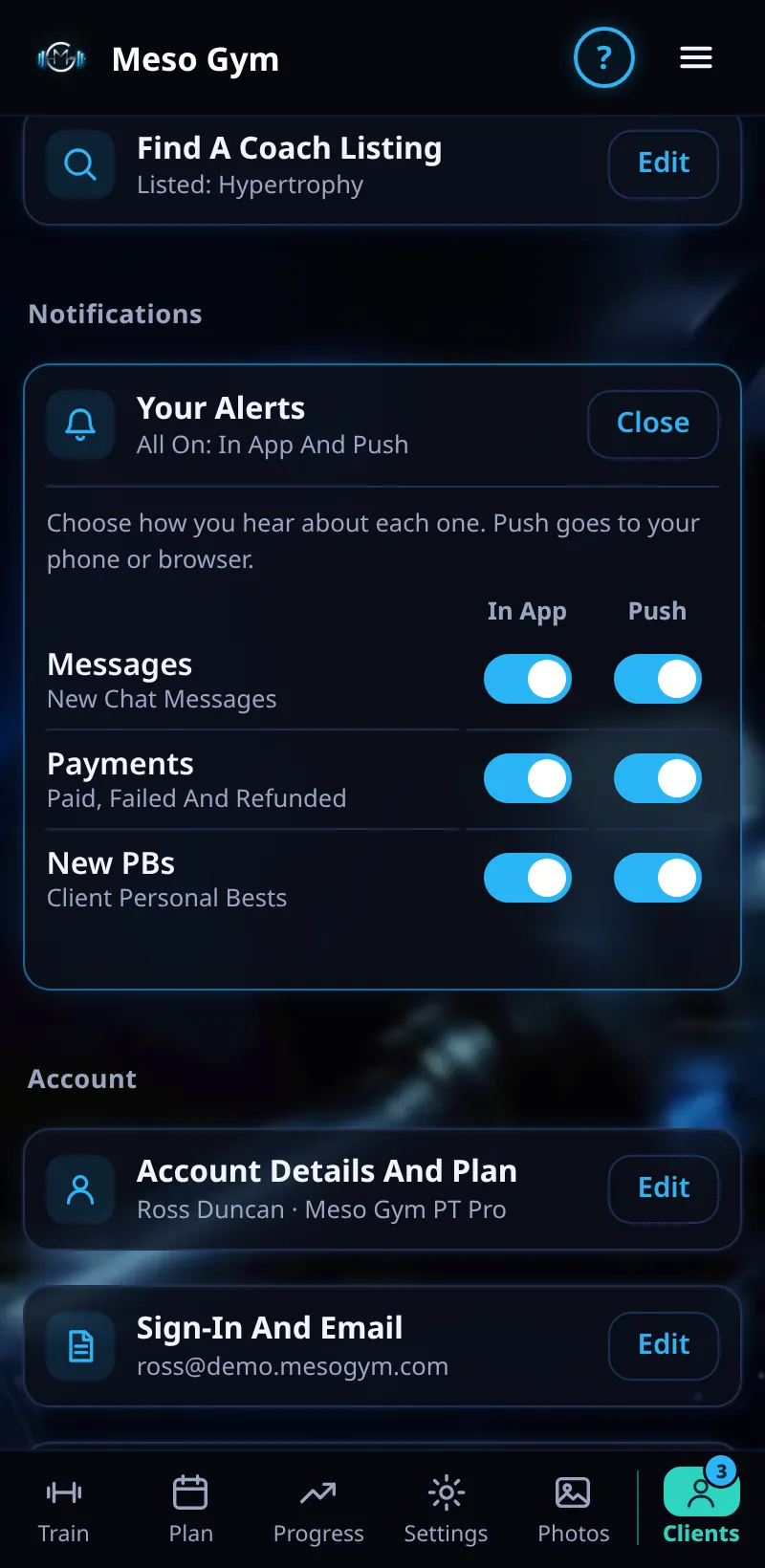
Choose which alerts you get, in the app and as push notifications.
Step By Step
- Open the Account tab. Under Notifications, tap Your Alerts.
- Messages covers new chat messages.
- Payments covers paid, failed and refunded payments.
- New PBs covers your clients' personal bests.
- Each row has an In App and a Push switch. Changes save as soon as you tap.
Good To Know
- Every alert is on to start with.
- A New PB push goes out once per lift per meso week, for a workout in the last two days.
How It Works
Alerts mean you hear about a failed payment or a big lift without opening every client. PB alerts are limited so a client who beats the same lift in several sets doesn't fill your phone. The first time you turn on push, Meso Gym explains why before your phone asks.
Common Questions
I'm not getting push notifications.
Check Push is on here, then check notifications for Meso Gym in your phone's settings.
Do clients see my alert settings?
No. They're just for you.