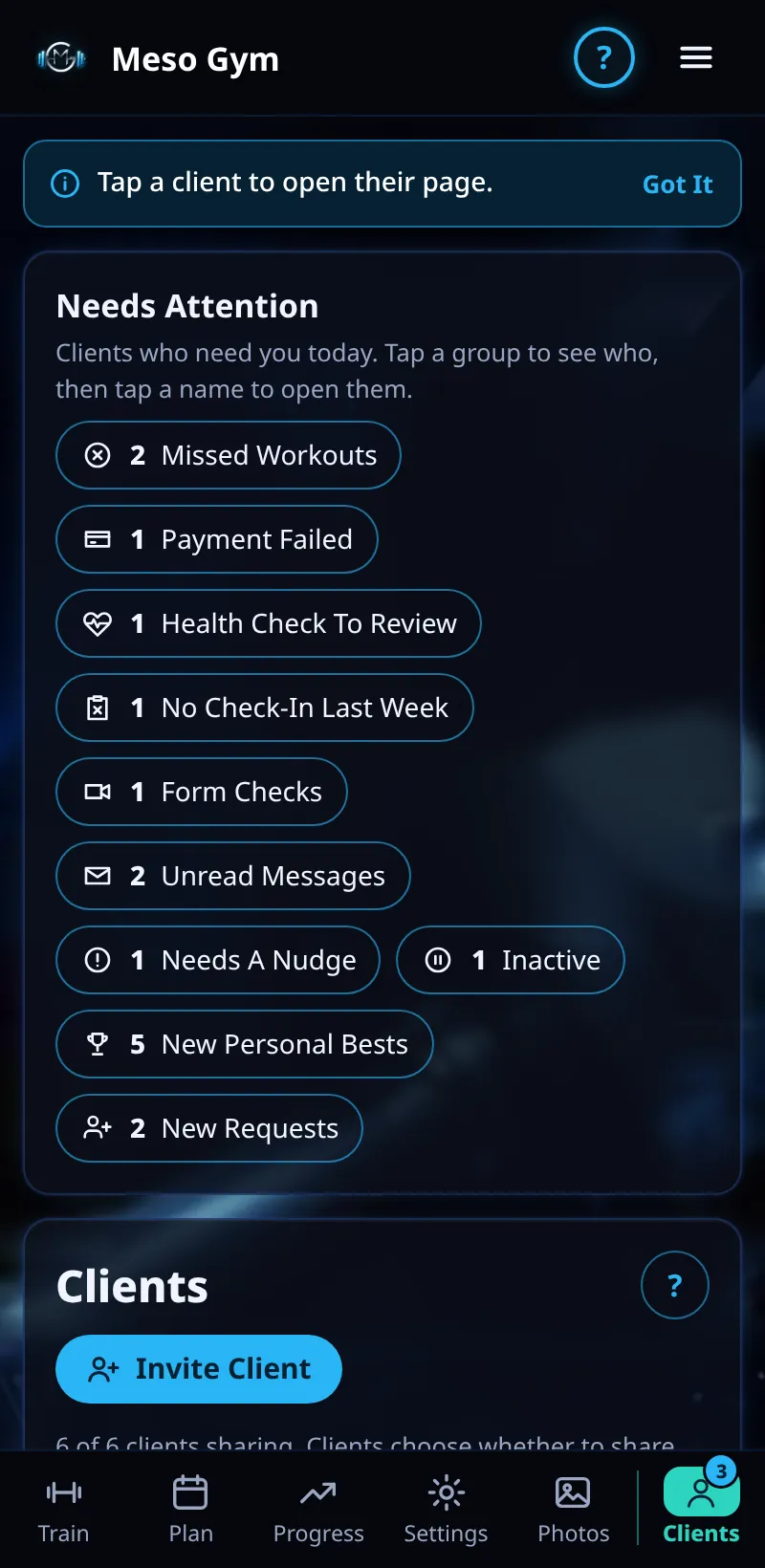
First-Time Tips For Coaches
A one-line tip the first time you open each screen, so you know what it's for.
Step By Step
- Open a coach screen for the first time. A tip appears near the top, for example Tap a client to open their page.
- Tap Got It to hide it.
- Each tip shows once per screen on that device.
- To see them all again, open Account and tap Show Tips Again.
Good To Know
- Examples: Your prices and payments on Money, and Your plan, brand and sign-in on Account.
- In the demo, tips reset each time so you can see them.
How It Works
Tips are short on purpose: one line, then out of your way. Because they're remembered on each device, a new phone or laptop shows them once more. If you're training a colleague, Show Tips Again is a quick way to walk them round the app.
Common Questions
Do clients see coach tips?
No. Coach tips are only on coach screens.
Will tips come back by themselves?
Only on a new device, or after Show Tips Again.