Changes When You Have A Coach
Your coach plans your meso, but you can still adjust today's workout.
Step By Step
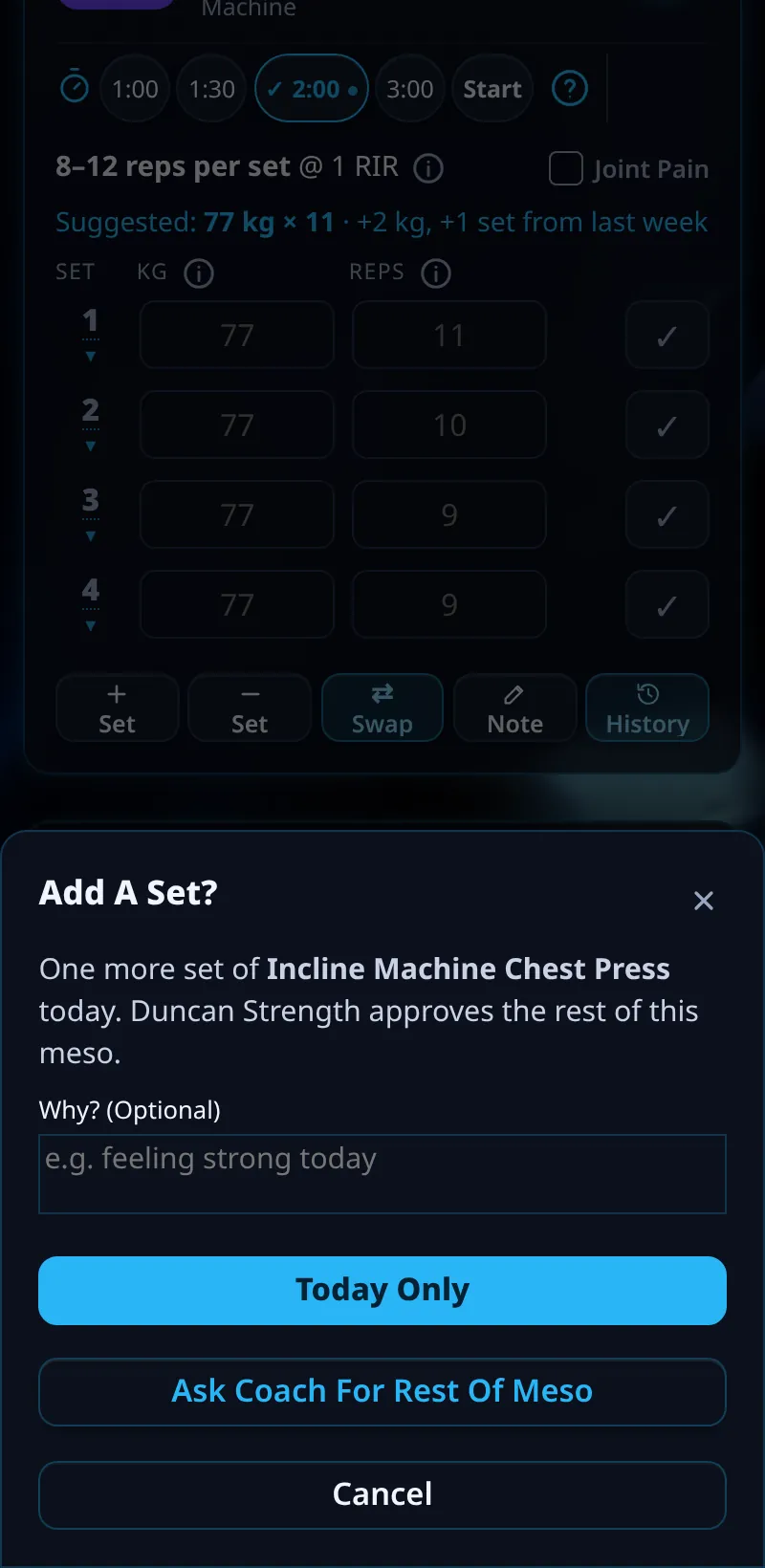
- In your workout, tap + Set, − Set or Swap on an exercise.
- Choose Today Only to change just this workout.
- Or choose Ask Coach For Rest Of Meso to send your coach a request.
- A swap for today applies straight away, and your coach is told.
Good To Know
- If your coach approves a swap, your later days show Your Swap · Approved.
How It Works
This keeps you in control on the gym floor while your coach keeps the plan. Today Only changes never carry into later weeks. When your coach changes your meso, upcoming days show tags like Coach Set, Swapped By Coach, Added By Coach or Removed By Coach, so you always know what's new.
Common Questions
What if my coach says no?
Your change for today stays, and later weeks keep the original plan.
Does a Today Only change affect my progress?
Your logged sets still count as normal.
Clients get this in the app their coach invites them to. Coaches can see it the way a client does with See As Client in Demo PT.