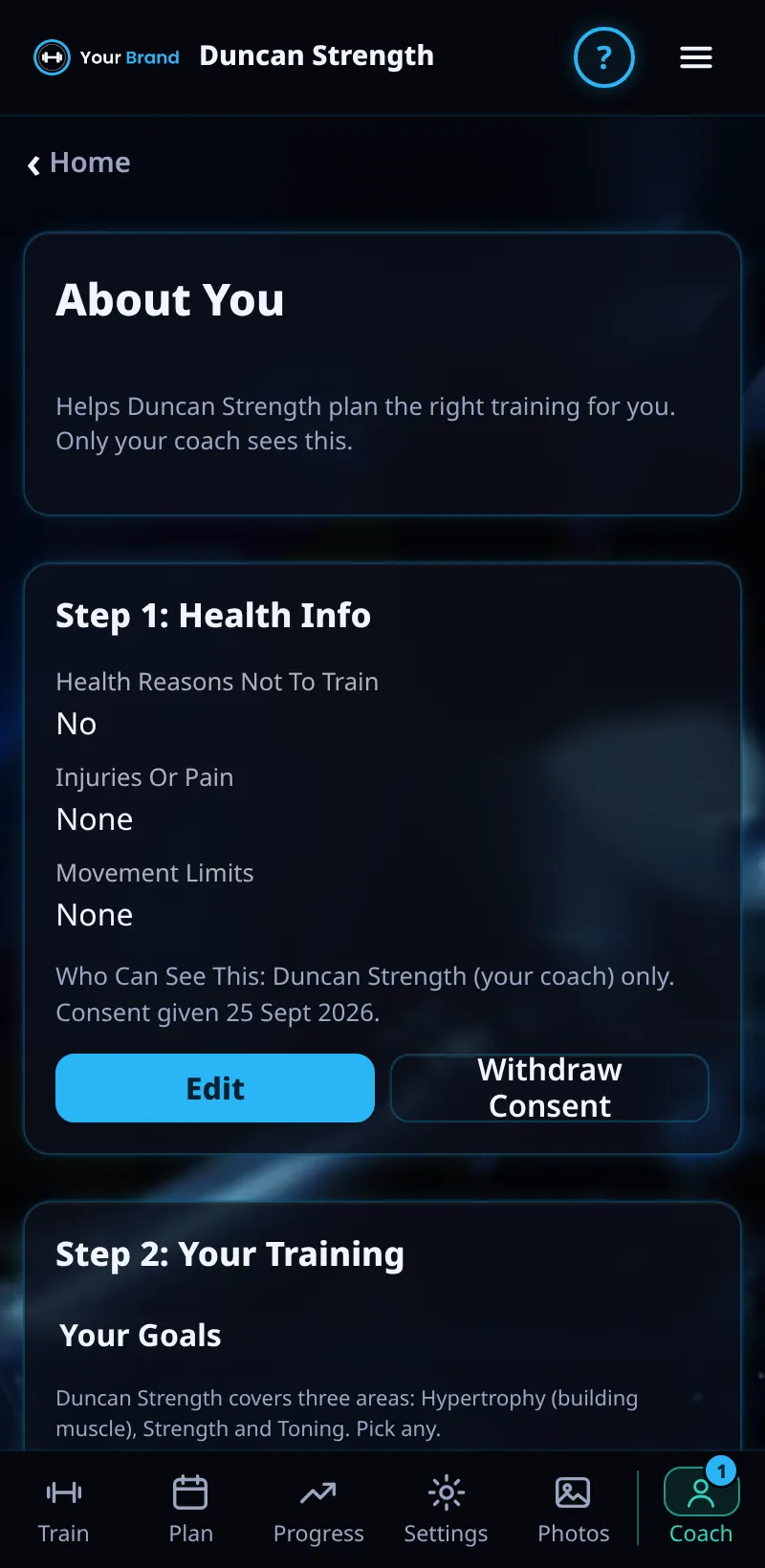
About You And Health Check
Tell your coach about your health, training experience, goals and week.
Step By Step
- Open the Coach tab and tap About You (or Settings › Open Health Info).
- Step 1: Health Info asks about health conditions and injuries.
- Step 2: Your Training covers your goal, experience, current split, muscles to focus on, equipment, days a week and session length.
- Tap Save. Your coach sees it on your client page.
Good To Know
- You can withdraw consent to share health info at any time.
How It Works
Your answers are used straight away: when your coach builds a meso for you, the builder starts from your days, session length, experience, equipment, goal, priority muscles and current split.
Update it whenever something changes, such as a new injury, a different gym or more days a week, so your coach plans around the real you.
Common Questions
Can my coach change my answers?
No. Only you can add or change them.
Do I have to answer the health questions?
No, but they help your coach keep you safe.
In the demo, saving answers shows Available In Your Trial.
Clients get this in the app their coach invites them to. Coaches can see it the way a client does with See As Client in Demo PT.