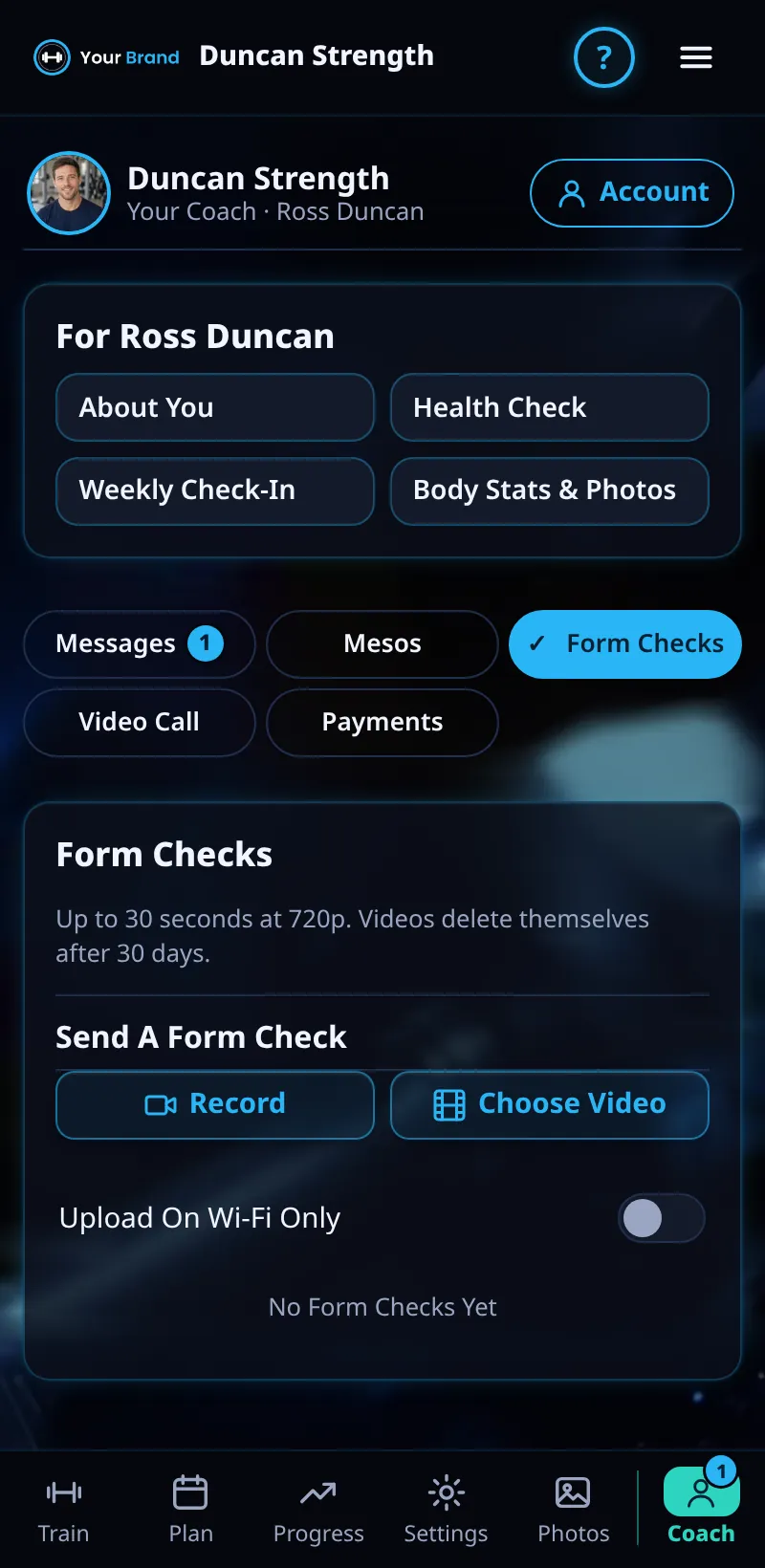
Sending A Form Check
Send your coach a short video of a lift for feedback.
Step By Step
- Open the Coach tab and tap Form Checks.
- Tap Send A Form Check and record or choose a video.
- Add a note, for example what felt off, and send.
- Your coach's reply appears in Messages, linked to the video.
Good To Know
- Film from the side at hip height, and include the whole movement.
How It Works
A form check gives your coach a clear look at a lift without needing to be in the gym together. Because their reply is linked to the video, you can rewatch it next to their notes before your next session.
Good light and a steady phone make a big difference. Film the set you want feedback on at your normal working weight, rather than a warm-up, so your coach sees how the lift really moves under load.
Common Questions
How long should the video be?
One or two reps is usually enough.
Who can see my videos?
Only you and your coach.
In the demo, uploading videos shows Available In Your Trial.
Clients get this in the app their coach invites them to. Coaches can see it the way a client does with See As Client in Demo PT.