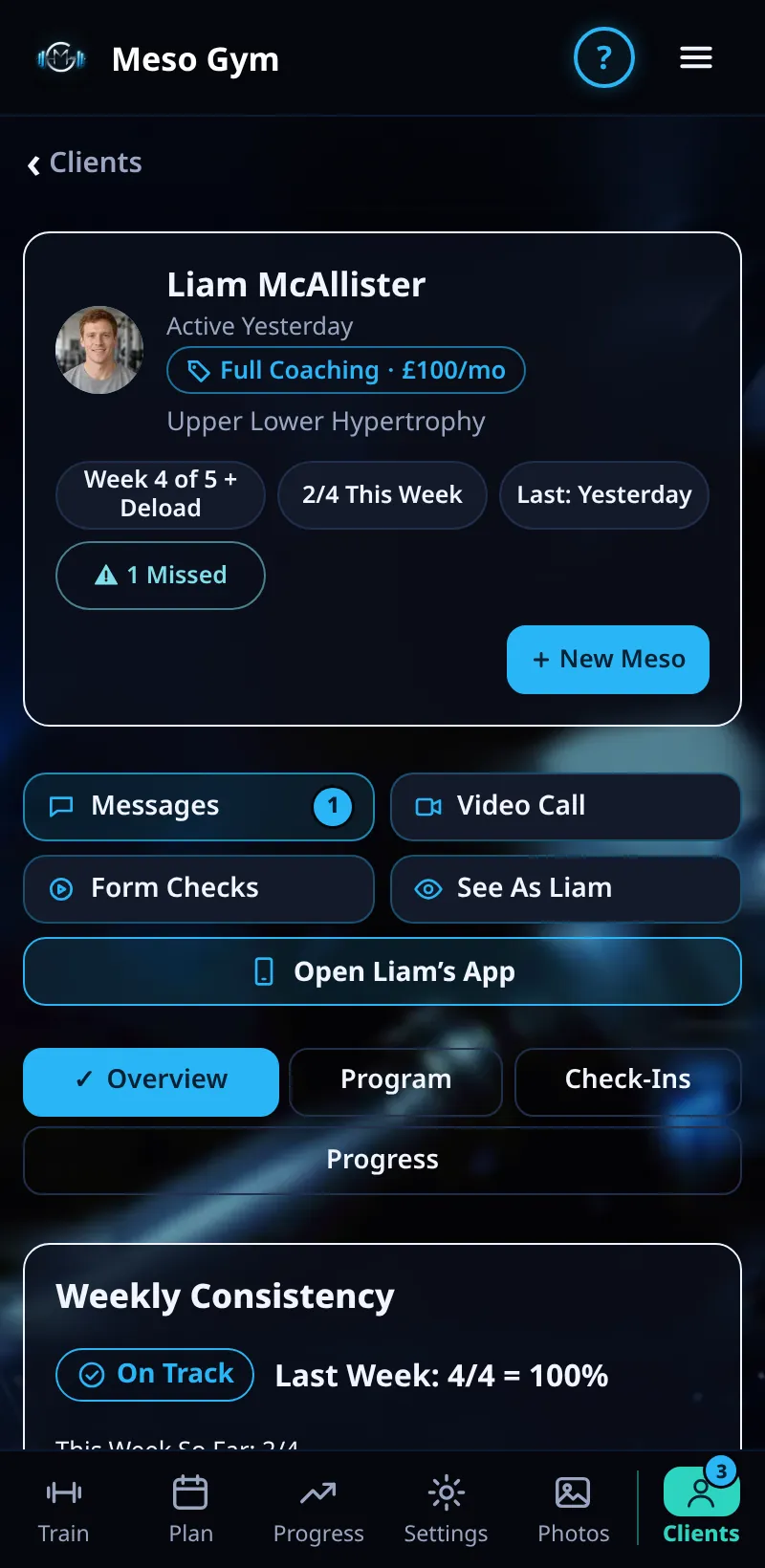
A Client's Overview
Everything about one client on one screen: their week, their meso, notes, health check and tools.
Step By Step
- Open the Clients tab and tap a client.
- The top shows their tier and price, where they are in their meso (for example Week 4 of 5 + Deload), this week's workouts, when they last trained and any missed workouts.
- Use the buttons under it: New Meso, Messages, Video Call, Form Checks, See As Name and Open Name's App.
- Switch between Overview, Program, Check-Ins and Progress with the tabs.
- On Overview, scroll down for Weekly Consistency, Latest Badges, their payment, About Name, your private notes (Save Notes) and their Health Check.
Good To Know
- Your notes under Added By You are private to you. The client never sees them.
- About Name shows the client's own answers: goals, experience, current split, priority muscles, equipment, days a week and session length.
How It Works
The payment panel shows whether the client is paid, their price and when it renews, with Request Payment, Change Tier and Refund. Remove Client is at the very bottom, away from everyday buttons, so it isn't tapped by mistake.
Common Questions
Why is the Health Check empty?
Only the client can add health answers, in their own app. Until they do, it says they haven't shared any.
What's the difference between See As and Open App?
See As is a read-only look at their app. Open Name's App lets you change their plan from their screens and send the changes.