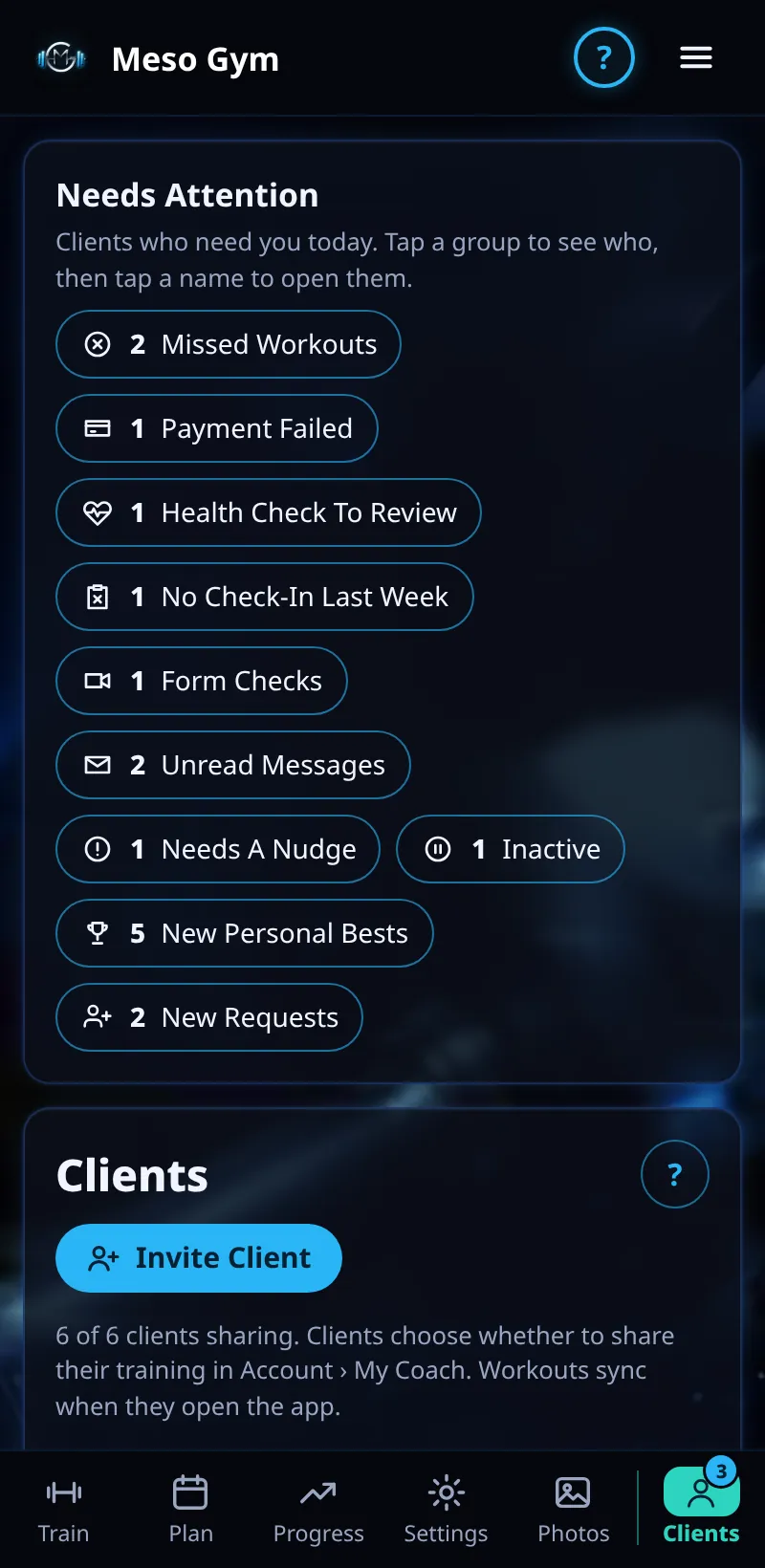
Needs Attention
One list of who needs you today: missed workouts, failed payments, health checks, missing check-ins and more.
Step By Step
- Open the Clients tab. Needs Attention is at the top.
- Each group shows a count, for example 2 Missed Workouts, 1 Payment Failed, 1 Health Check To Review, 1 No Check-In Last Week, Form Checks or Unread Messages.
- Tap a group to see which clients are in it.
- Tap a name to open that client and deal with it, or use the buttons in the group, such as Message or Dismiss.
- Groups clear on their own once the item is handled, for example when you mark a health check as reviewed.
Good To Know
- New Personal Bests is there too, so you can congratulate clients as well as chase them.
- Needs A Nudge and Inactive pick up clients whose consistency has dropped.
How It Works
Needs Attention pulls everything that needs a coach's eye into one place, so you don't have to open every client to find out who is struggling. Missed Workouts opens its own panel (see Missed Workouts), and No Check-In Last Week lists each client with See Check-Ins, Message and Dismiss.
Common Questions
Does dismissing something tell the client?
No. Dismiss only hides it from your list.
How often does it update?
Every time you open the Clients tab, using the latest data your clients have synced.