Removing A Client
End coaching with a client and free their place for someone new.
Step By Step
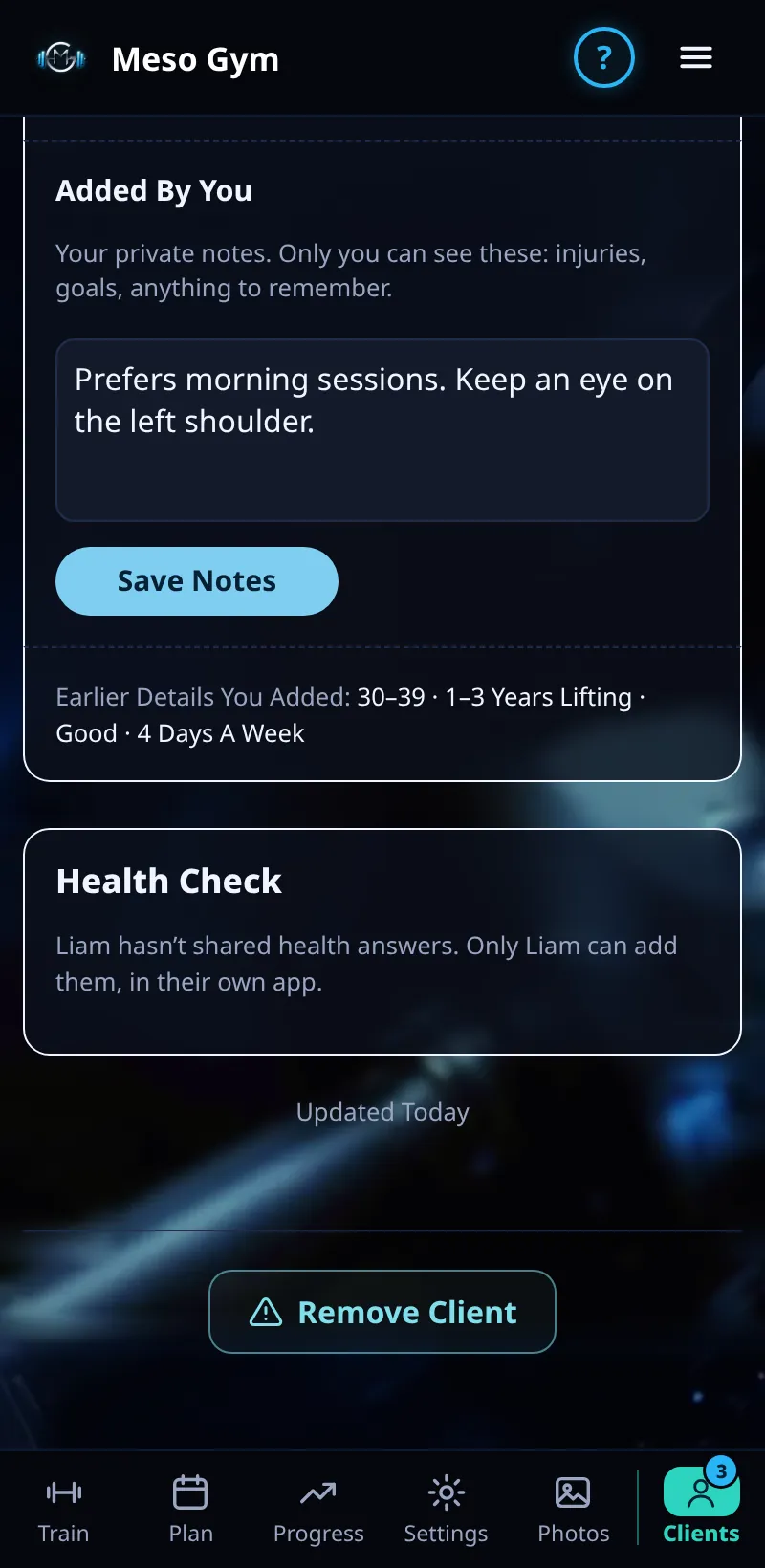
- Open the client from the Clients tab.
- Scroll to the bottom of Overview and tap Remove Client.
- Read the confirm and tap to confirm.
- The client keeps their own training history, and their place on your plan is free straight away.
Good To Know
- A client can also leave you from their own Account tab.
- If the client pays you monthly or yearly, use Refund › Stop Future Payments, or cancel in Stripe, so they aren't charged again.
How It Works
Removing a client ends the coaching link between you. Their workouts, mesos and body stats belong to them and stay in their account. They lose the Meso Gym Pro access that came with your coaching, and you stop seeing their shared data, chat and check-ins.
Common Questions
Can I add them back later?
Yes. Send them a new invite code or your join link.
Does removing a client refund them?
No. Refunds are separate. Use Refund on their payment panel before you remove them.
In the demo, removing a client shows Available In Your Trial.