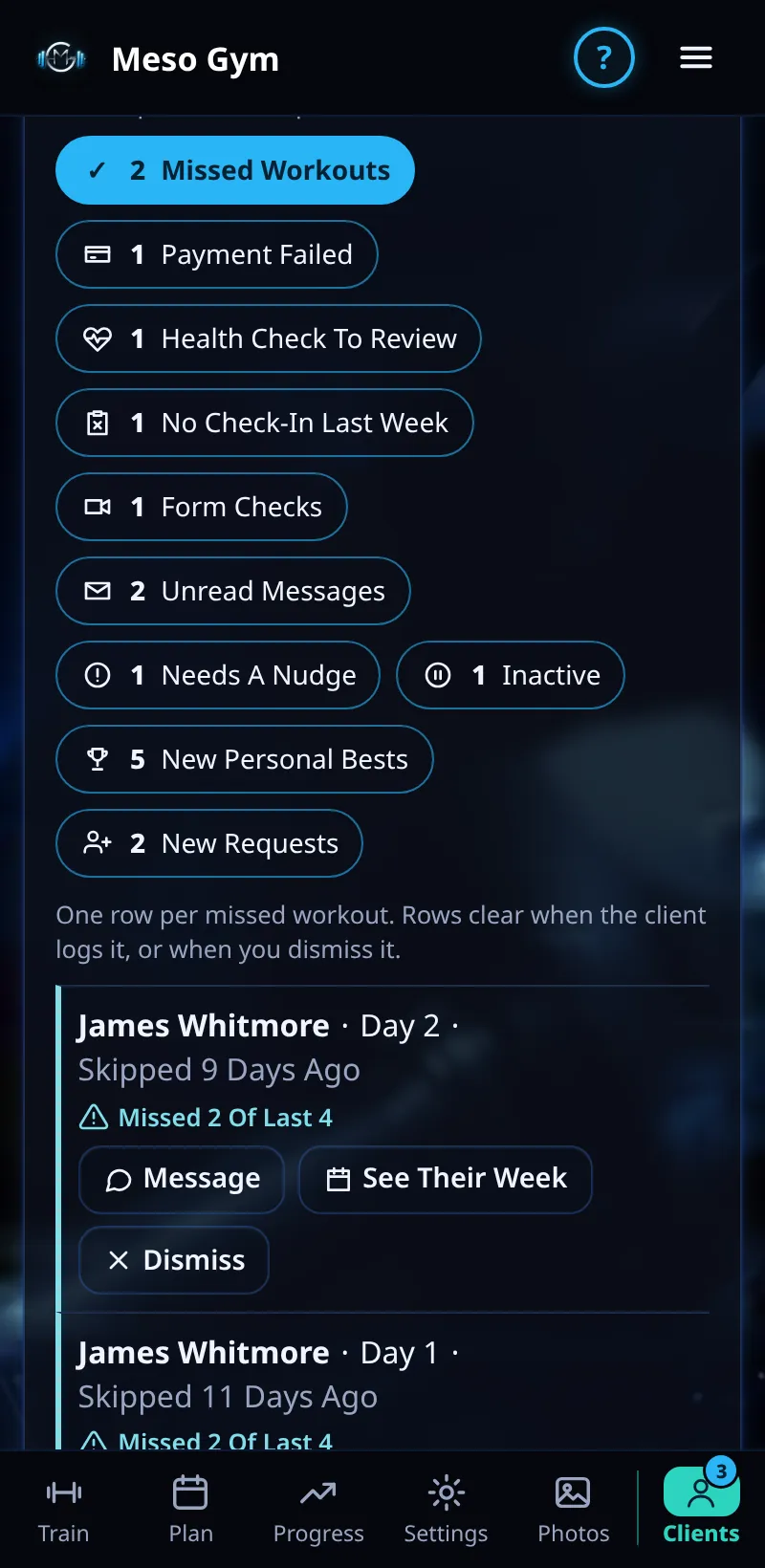
Missed Workouts
See every missed workout in one panel, spot a pattern, and move a session to tomorrow.
Step By Step
- Open the Clients tab. In Needs Attention, tap Missed Workouts.
- Each row shows the client, the session and when it was due, for example 2 Days Ago.
- A pattern line shows when it keeps happening, for example Missed 3 Of Last 4.
- Use Message to check in, See Their Week to open their week, Move To Tomorrow to reschedule, or Dismiss to clear it.
Good To Know
- Move To Tomorrow is a one-off. Their meso and its progression don't change.
- Skipped workouts older than 14 days drop off the list.
How It Works
A workout counts as missed when its day has passed and it wasn't trained or skipped. The panel is one row per missed workout, so a client who missed two sessions shows twice, and the pattern line helps you see whether it's a busy week or a habit to talk about.
Common Questions
Does the client see that I dismissed it?
No. Dismiss only clears it from your list.
What's the difference between missed and skipped?
Skipped is the client choosing Skip Session. Missed means the day passed with nothing logged.