Health Checks And Pain Reports
Review each client's health check and any joint pain they log during a workout.
Step By Step
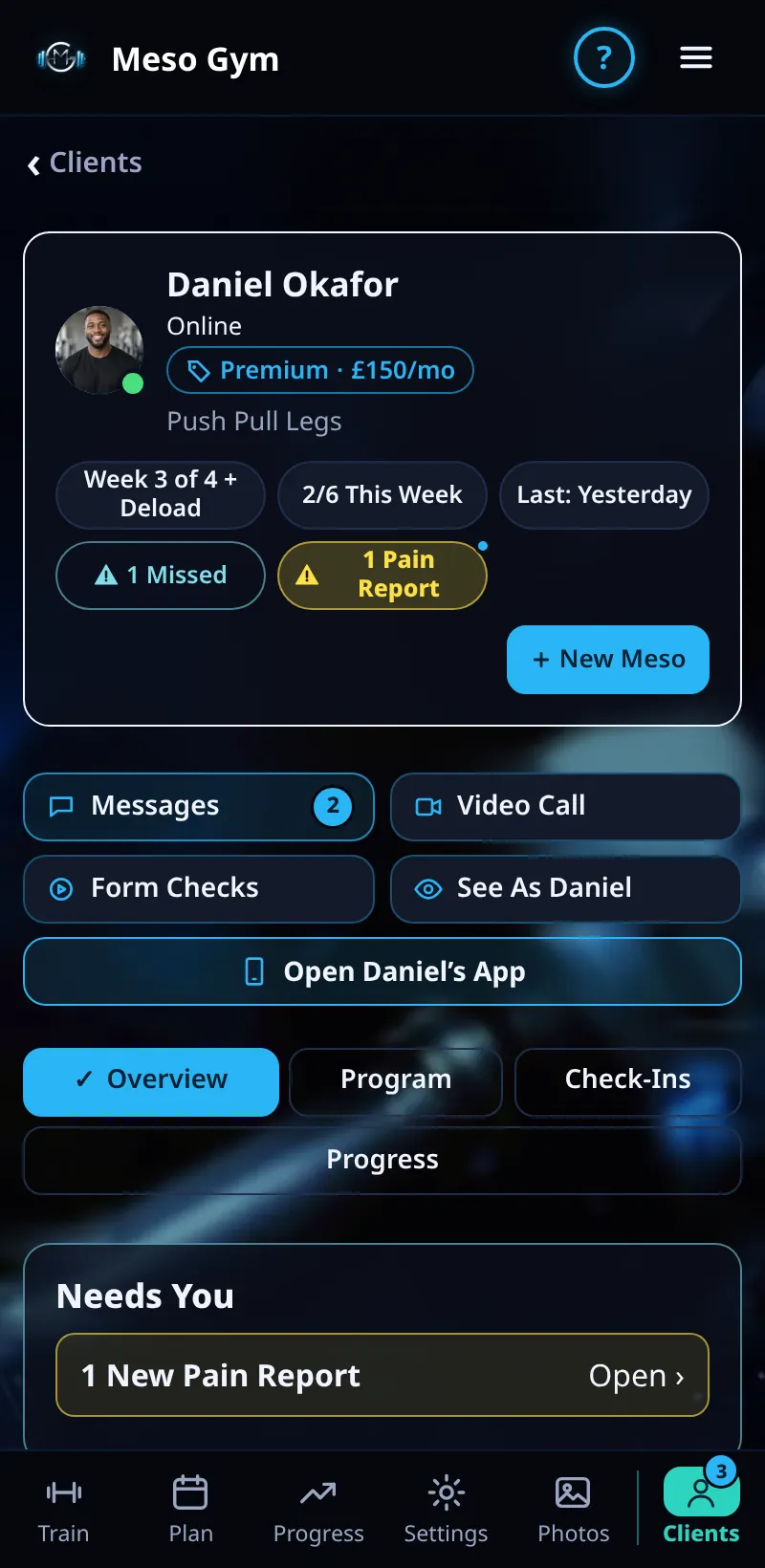
- When a client logs joint pain, they appear under Needs Attention and their page shows Needs You at the top.
- Open the client and tap the pain report to see which exercise, which joint and how bad it was.
- Swap or change the exercise from their Program if needed, and message them.
- Tap Mark As Reviewed when you've dealt with it.
- Scroll to Health Check to read the health information the client shared when they joined.
Good To Know
- Pain always has its own icon and label, so it never relies on colour alone.
- Only the client can add or change their health answers, and they can withdraw consent at any time.
How It Works
Pain is graded None, Mild, Moderate or Severe. Moderate keeps next week's weight, reps and sets the same instead of progressing, and Severe drops a set, lowers the weight and offers the client a swap straight away. Your review is the human check on top of that.
Common Questions
Is this medical advice?
No. Meso Gym records what the client reports. Sharp, swollen or lingering pain is worth getting checked by a professional.
Does mild pain show up?
Mild pain is noted in the client's History, so a pattern is easy to spot.