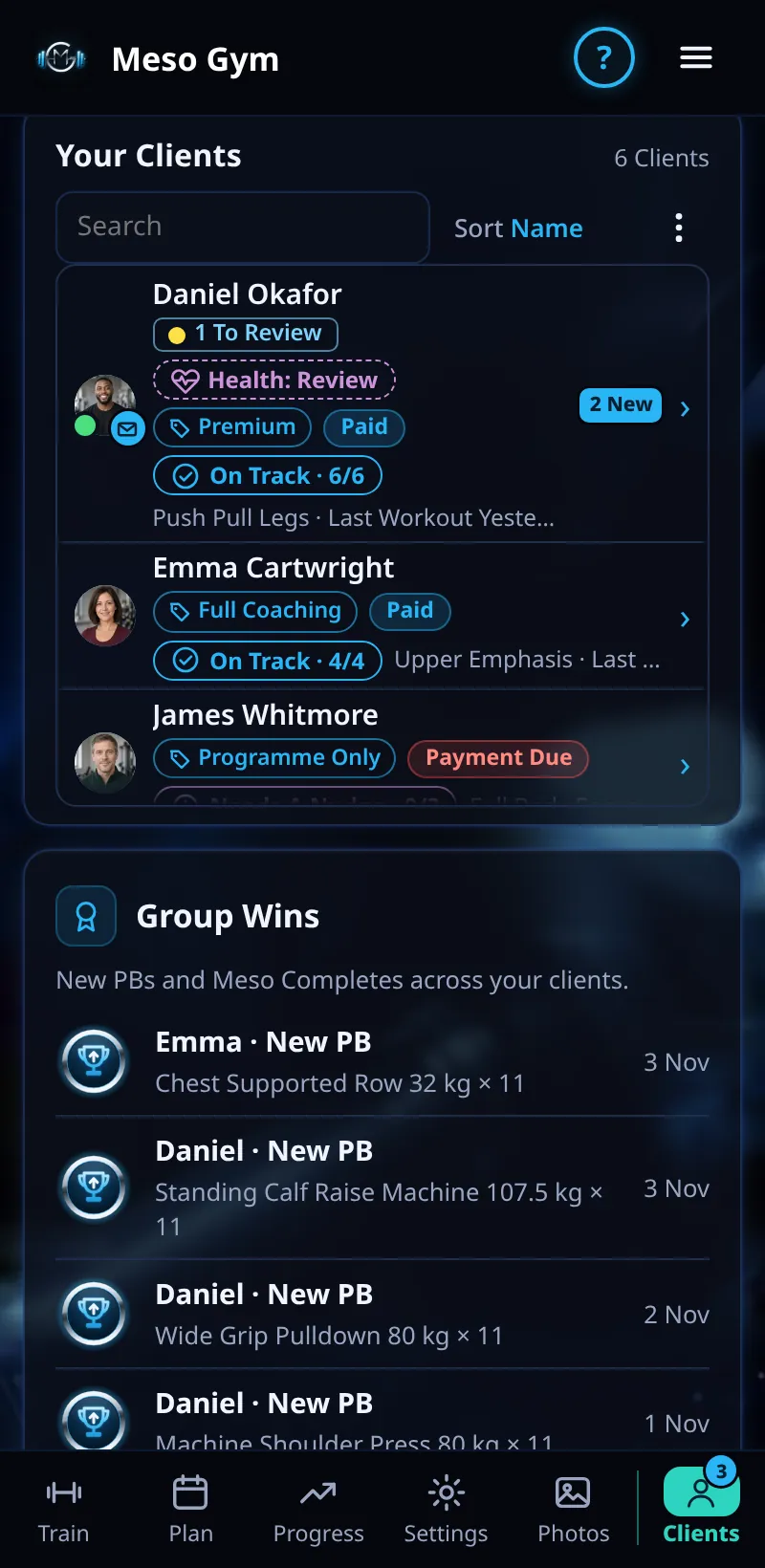
Your Clients List
See every client at a glance: their tier, payment status, this week's workouts and when they last trained.
Step By Step
- Open the Clients tab at the bottom of the screen (on a laptop it's in the side menu).
- Your Clients lists everyone you coach. Each row shows their tier and whether they've paid, how many of this week's workouts are done (for example On Track · 4/4), their current meso and when they last trained.
- Use Search Clients to find someone by name, and Sort to order the list by Name or by Last Workout.
- A number next to a name means new messages or items to review, and a missed workout is shown on the row.
- Tap a name to open that client.
Good To Know
- The number on the Clients tab counts new coaching requests, and the number on the Messages tab counts unread messages from all your clients.
- Needs Attention sits above the list, so the clients who need you today are always first.
How It Works
The list is built from what each client shares with you. Workouts sync when the client opens the app, so a row can lag a little if someone trains with no signal. The consistency tag on each row (On Track, Slipping or Needs A Nudge) uses the same rules as the Weekly Consistency card on their page.
Common Questions
Why does a client show fewer workouts than they did?
Their phone hasn't synced yet. It catches up the next time they open Meso Gym with a connection.
Can I see clients from another trainer?
Only on a gym plan, where the owner sees every client and each trainer sees only their own.