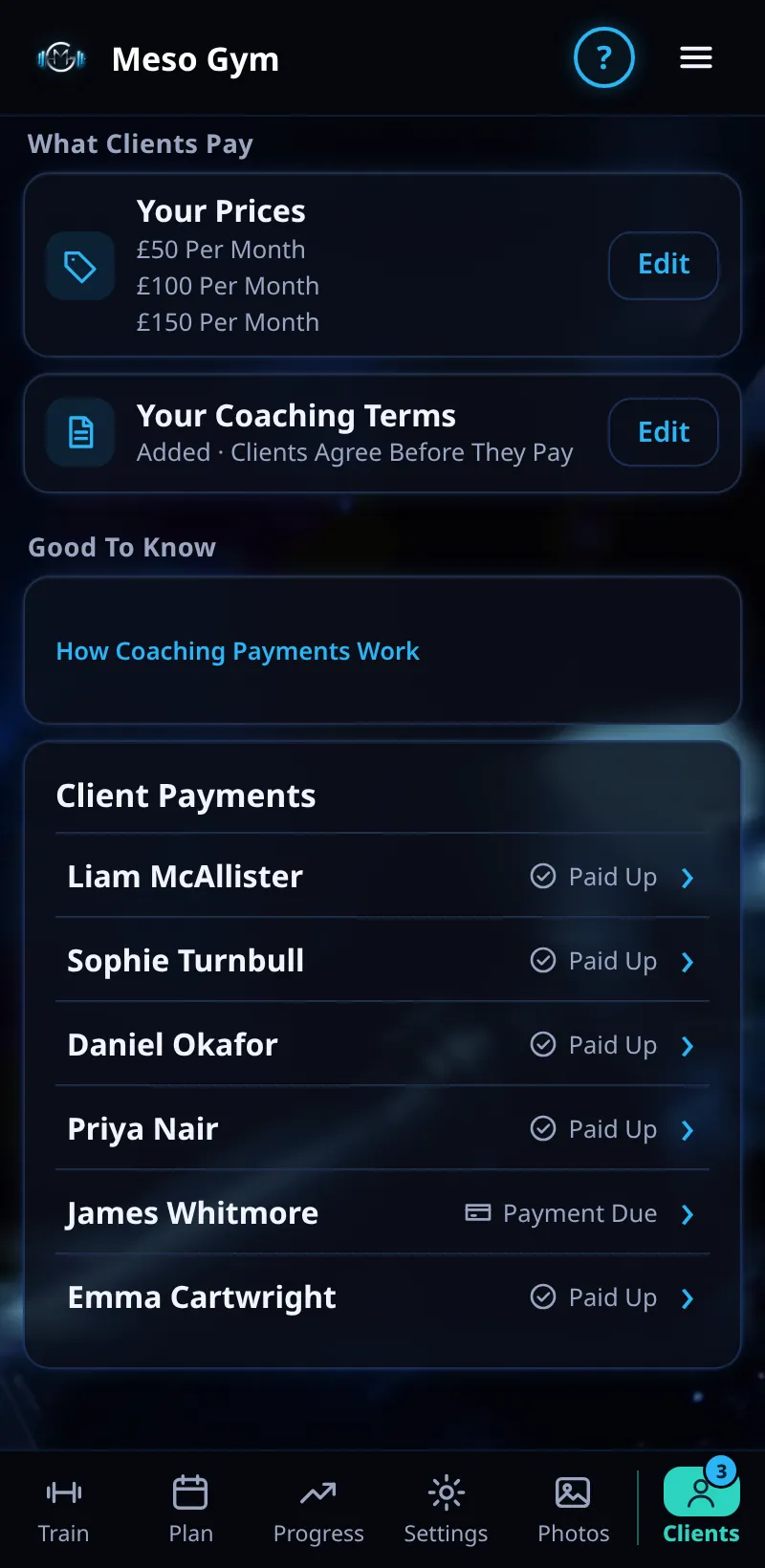
Client Payments
See who has paid, ask for a payment and change a client's tier.
Step By Step
- Open the Money tab. Client Payments shows Paid Up or Payment Due for each client.
- Open a client and tap Request Payment. They get a payment card in their chat and a notification.
- Tap Change Tier to move a client to a different price. You're told what happens and when.
- A failed payment shows under Needs Attention.
Good To Know
- The client's payment panel shows their price and when it renews, for example Paid · £100 Per Month · Renews 2 Dec 2026.
How It Works
Payment status comes straight from Stripe, so Paid Up means Stripe has taken the money. A tier change waits for the client where it needs their agreement, and their payment history lists every payment and refund.
Common Questions
A client says they paid but shows Payment Due.
Give it a moment: the status changes once Stripe confirms the payment.
Where else can I see payments?
In your own Stripe Dashboard: tap Manage In Stripe on the Money tab.
In the demo, requesting payments and changing tiers shows Available In Your Trial.