Connect Stripe And Payouts
Take client payments by card through your own Stripe account. Money goes straight to you.
Step By Step
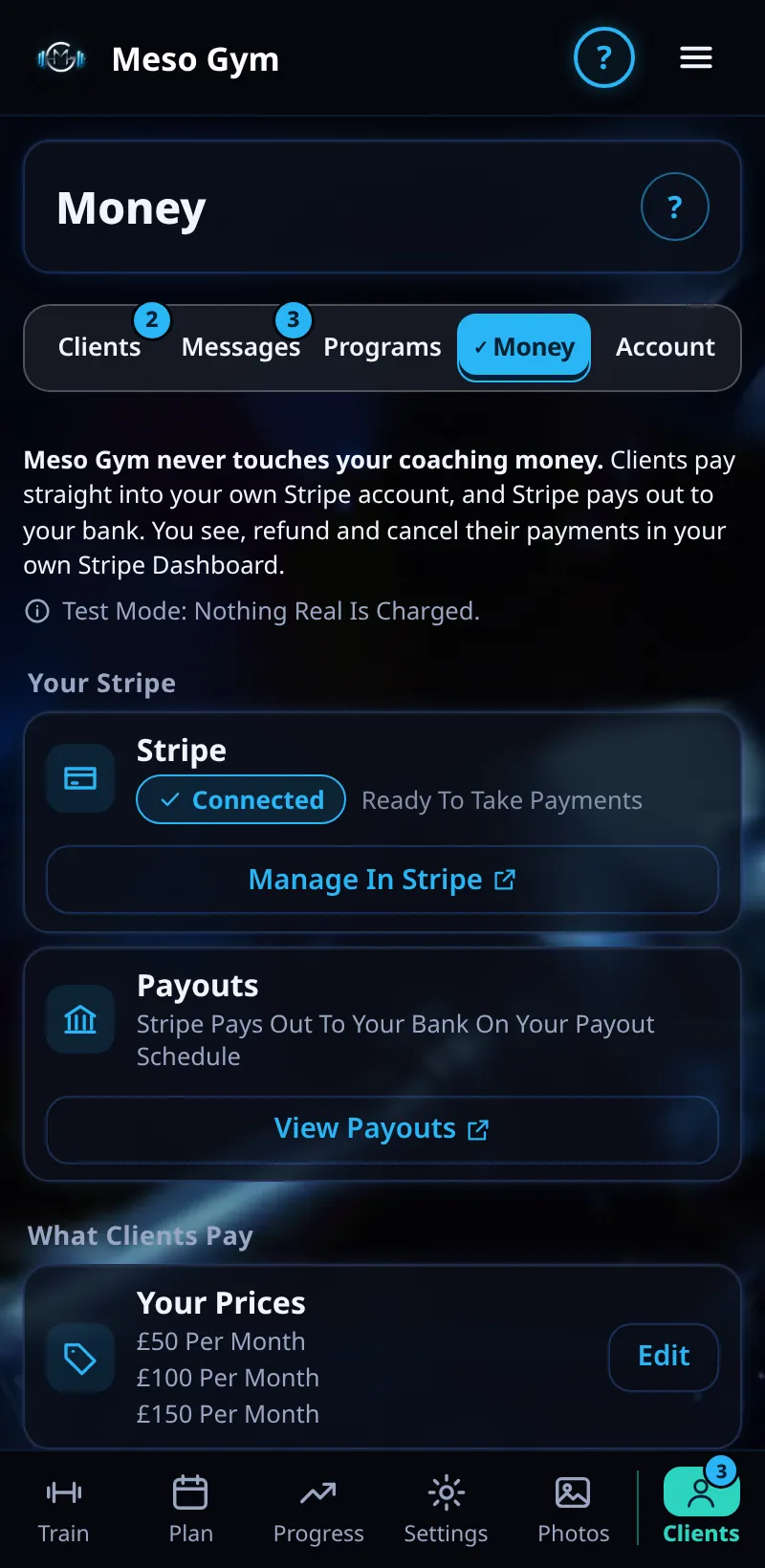
- Open the Money tab.
- Under Your Stripe, tap Connect Stripe and follow Stripe's steps to set up your account.
- Once connected, the status shows Connected and Ready To Take Payments.
- Tap Manage In Stripe or View Payouts to see your money in Stripe.
- Add Your Coaching Terms so clients agree to them before paying.
Good To Know
- Meso Gym never touches your coaching money. Clients pay straight into your own Stripe account, and Stripe pays out to your bank on your payout schedule.
How It Works
Because payments run through your own Stripe account, you see, refund and cancel them in your own Stripe Dashboard as well as in Meso Gym. Receipts for coaching payments come from your Stripe account, not from Meso Gym.
Common Questions
Do I need a Stripe account already?
No. Connect Stripe walks you through making one.
Who pays the card fees?
Stripe's standard fees are taken from each payment, as set by Stripe.
In the demo, connecting Stripe shows Available In Your Trial.