Your Prices And Tiers
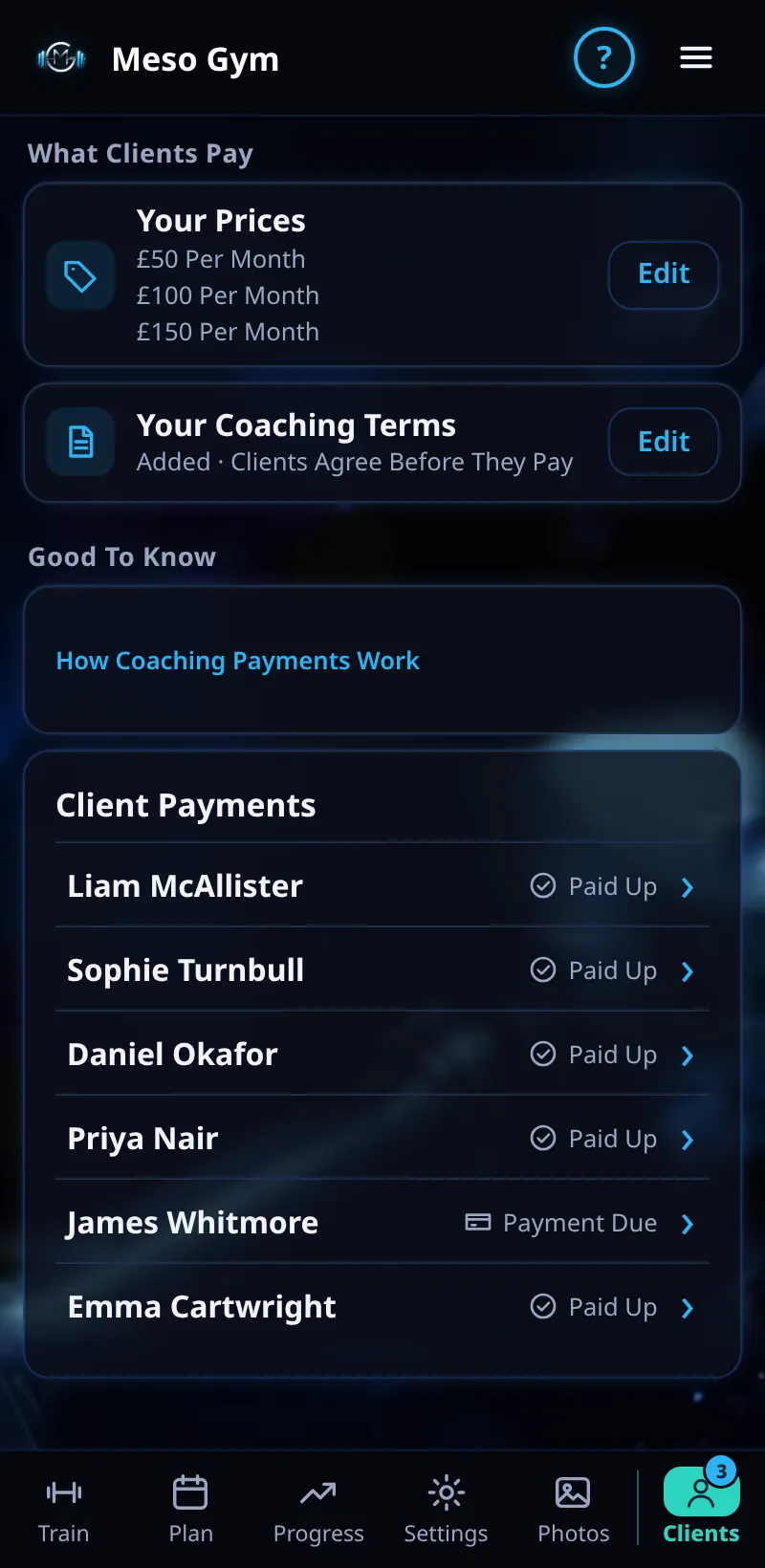
Set your coaching tiers and prices, for example Programme Only, Full Coaching and Premium.
Step By Step
- Open the Money tab.
- Under What Clients Pay, tap Edit next to Your Prices.
- Each tier has a name, a length (for example 1 Month) and a price in £.
- Tap + Add Price to add a tier, or Remove to take one away.
- Tap Save Prices.
Good To Know
- Changing a price applies to new invites and new payments only. Clients already paying keep their price.
- Amounts show in whole pounds, for example £50, unless you set pence.
How It Works
Tiers let you sell different levels of coaching from the same app. Each invite is for one tier, and Change Tier on a client's page moves an existing client to another. Your Coaching Terms sit just below your prices: clients agree to them before they pay.
Common Questions
Do existing clients see a new price?
No. Clients already paying keep their price until you use Change Tier.
Which currency is used?
Your prices are in pounds (£).
In the demo, saving prices shows Available In Your Trial.