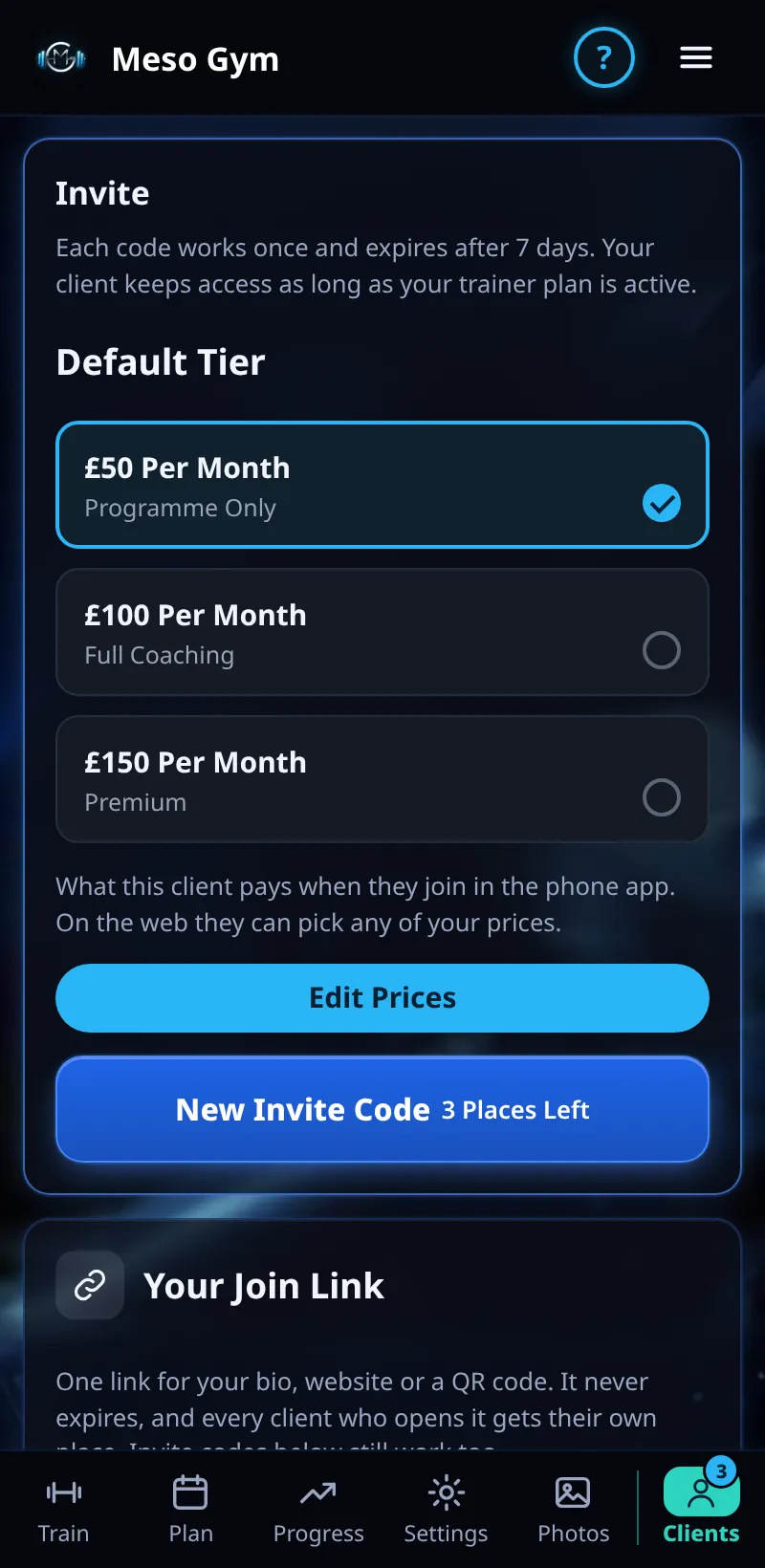
Invite Codes
Invite a client with a code. They enter it in the app and join you straight away.
Step By Step
- Open the Clients tab and tap Invite Client.
- Pick the tier the invite is for (for example Full Coaching).
- Share the code or link, or tap Email This Invite to send it for you.
- The client signs in, enters the code in Account › My Coach and appears in Your Clients.
- Manage Invites shows codes you've sent and lets you cancel one.
Good To Know
- Codes work once and expire after 7 days.
- For one link you can post anywhere, use Your Join Link instead.
How It Works
Invite pages and emails carry your branding, not Meso Gym's, so a new client meets your business first. A pending invite holds a place on your plan until it's used, cancelled or expires.
Common Questions
The code says it has expired.
Send a new invite. Codes last 7 days.
Can a client already on Meso Gym use a code?
Yes. They keep their own training history and join you with it.
In the demo, creating invite codes shows Available In Your Trial.