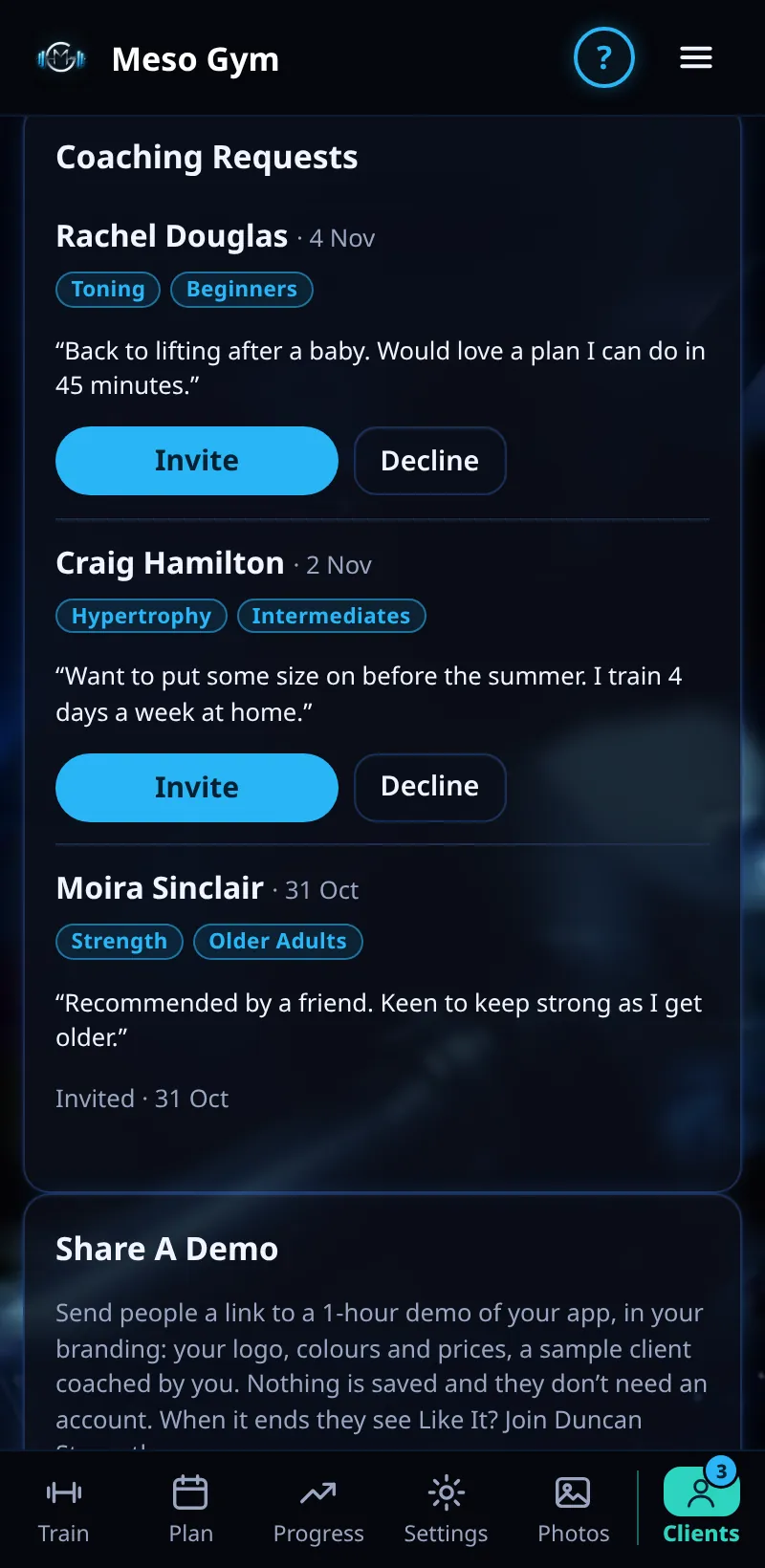
Coaching Requests
Lifters who find you in Find A Coach can ask you to coach them.
Step By Step
- Open the Clients tab. A number on the tab means new requests, and Needs Attention shows a New Requests pill.
- Scroll to Coaching Requests. Each request shows the lifter's name and a short message.
- Tap Invite to send them an invite for one of your tiers, or Decline.
- Once they accept the invite, they appear in Your Clients.
Good To Know
- Your Find A Coach listing is set up under Account › Get Found.
How It Works
Coaching requests are how your Find A Coach listing turns into clients. Replying quickly matters: a lifter looking for a coach often messages several at once. Read their message, check that what they want fits your coaching, and invite them on the tier that suits.
Common Questions
Where do lifters find me?
In Find A Coach, through your listing under Account › Get Found.
Do requests use up places?
Not until you send an invite.
In the demo, accepting requests shows Available In Your Trial.