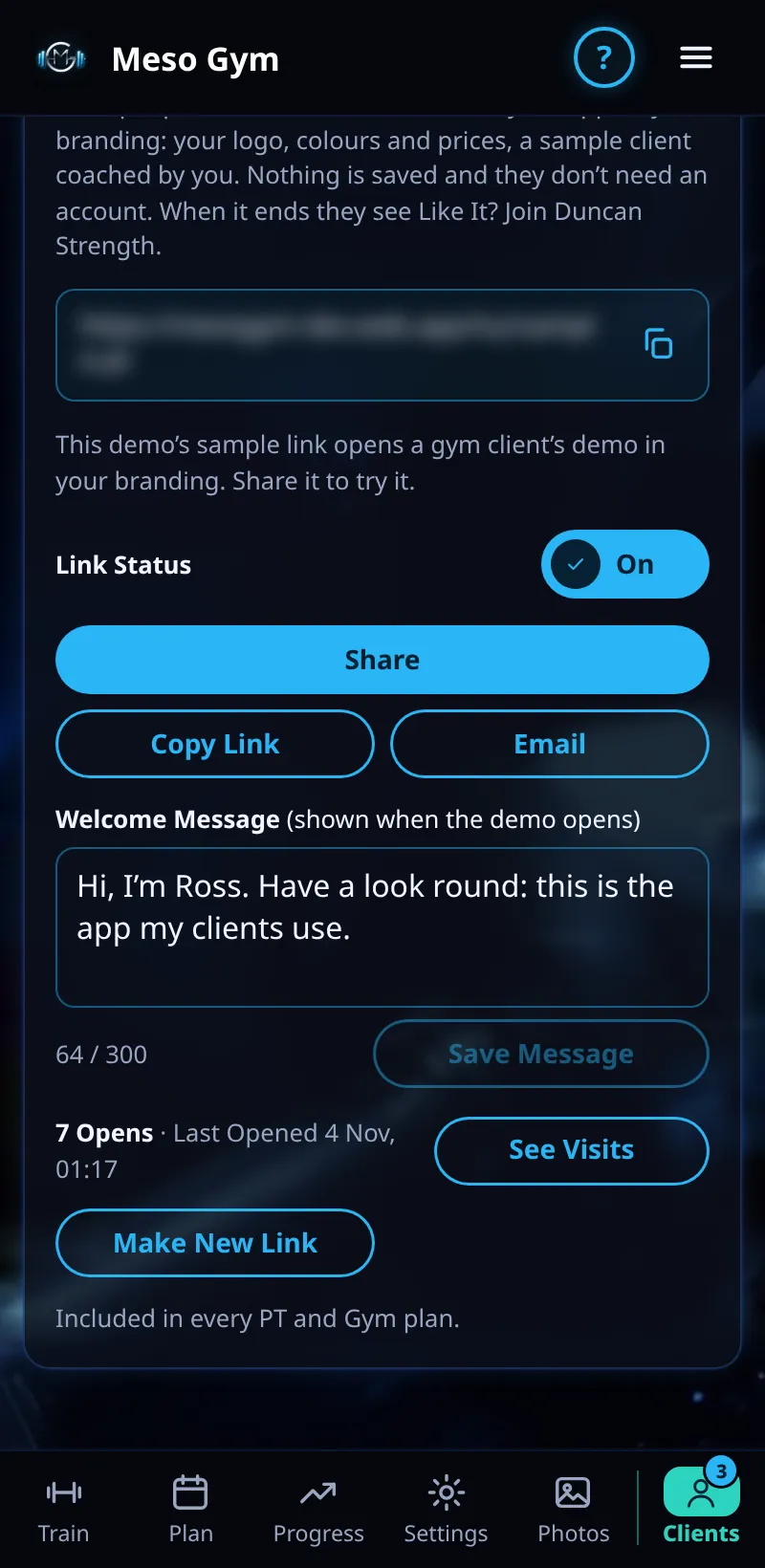
Share A Demo
Send a possible client a 1-hour demo of your app, in your branding. No account needed and nothing is saved.
Step By Step
- Open the Clients tab and scroll to Share A Demo.
- Tap Make My Demo Link.
- Tap Share, Copy Link or Email to send it. Email sends it in your branding.
- They see a sample client coached by you: your logo, colours, programs, prices and welcome message. Pay is switched off.
- When the hour ends they see Like It? Join with your name and a button to your join link.
Good To Know
- Write a short Welcome Message: it is the first thing they read.
- Opens and See Visits show how many people tried it and which screens they looked at.
- Turn Link Off stops the link working. Make New Link replaces it, and the old one stops working.
- Included in every PT and Gym plan.
How It Works
A demo lets someone feel what being coached by you is like before they commit. Studio and Gym plans share a gym client demo; PT plans share the PT client demo.
Common Questions
Does the person need to sign up?
No. The demo runs in their browser and nothing they do is saved.
Can they pay from the demo?
No. Payments are switched off in demos.