Family Chat And Video Calls
Message and video call the people on your Family plan.
Step By Step
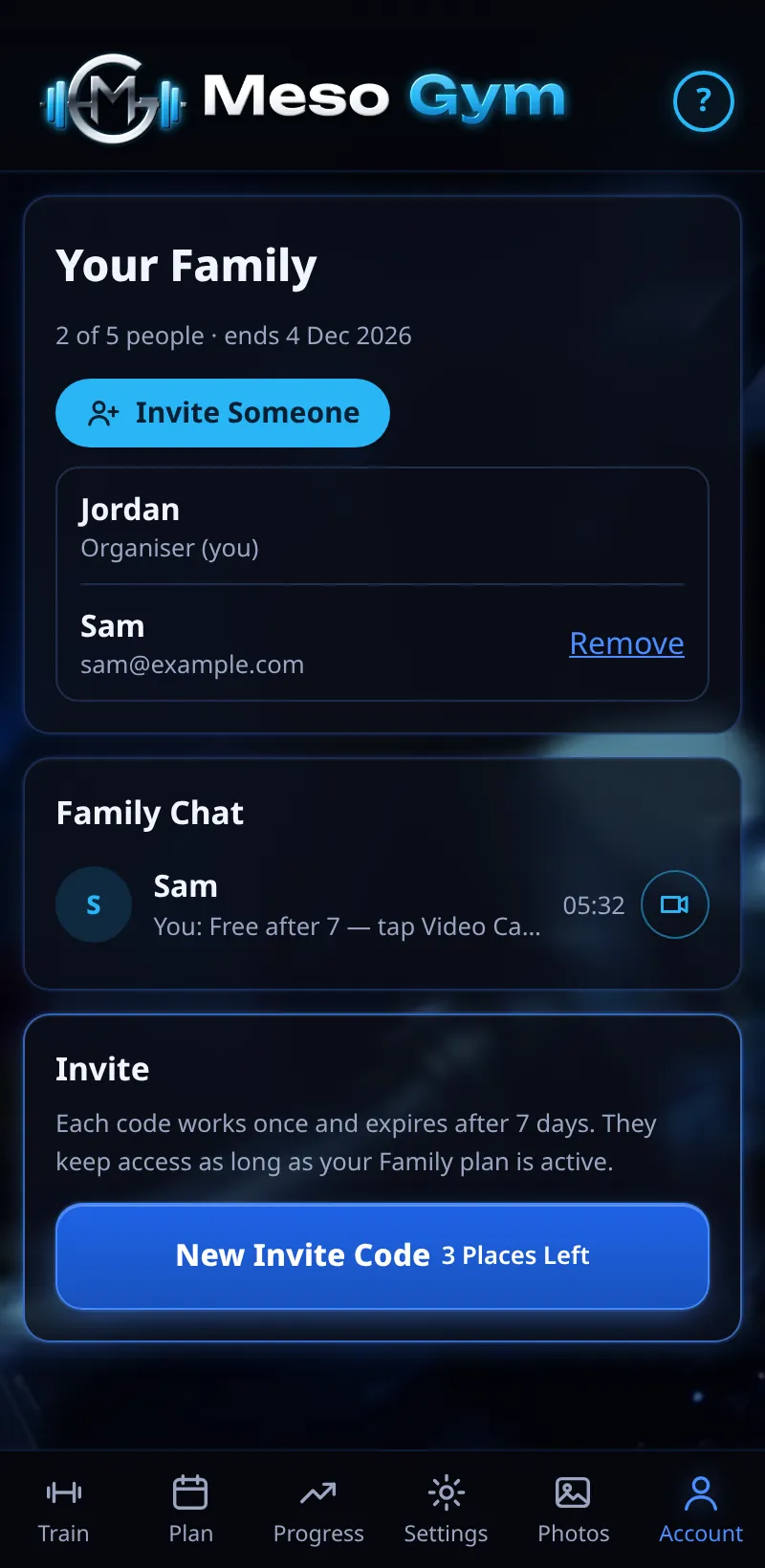
- Open Account › Family.
- The Family Chat card lists everyone on your plan, as Family Organiser or Family Member.
- Tap a person to message them, or start a video call.
- A badge on the Account tab shows new family messages.
Good To Know
- When someone joins your Family plan, you can message and video call them here.
How It Works
Family Chat keeps training talk in the app where your workouts are, so you can plan sessions together or cheer on a PB. Each chat is between two people, and everyone's training still stays in their own account.
Video calls ring the other person's app wherever they are in Meso Gym, so they can answer straight away. A chat appears for each person as soon as they've joined with an invite code, and the list shows who's the Family Organiser and who's a Family Member.
Common Questions
Who can I message?
Only the people on your Family plan.
Can my coach see family chats?
No. Family chats are separate from your coach chat.