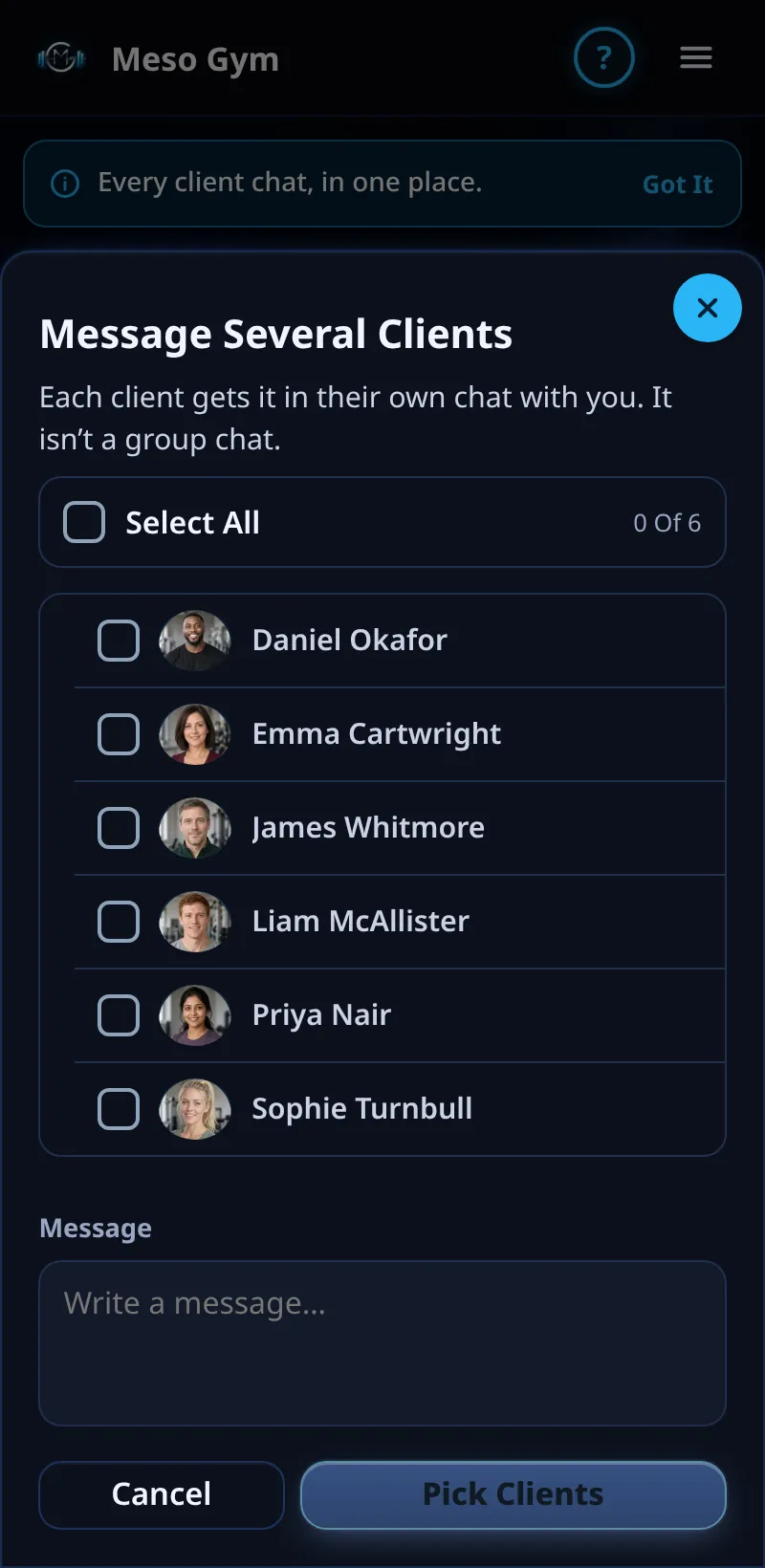
Message Several Clients
Send the same message to several clients at once. Each gets it in their own chat with you.
Step By Step
- Open the Messages tab and tap Message Several Clients.
- Tick the clients to send to, or use Select All.
- Write your message (up to 2,000 characters).
- Tap Send To and the number of clients, check the message, and confirm.
- Message Sent confirms it. If any didn't go, you'll see Some Messages Weren't Sent with Try Again.
Good To Know
- It isn't a group chat: clients can't see who else got it, and replies come back to each private chat.
How It Works
It's ideal for a holiday timetable, a reminder to send check-ins or a quick note of encouragement. Each copy is a normal message in that client's chat, with the usual ticks and Seen photo, so you can follow up one by one.
Common Questions
Can I send a photo or voice note to several clients?
Message Several Clients sends text. Send photos and voice notes in each chat.
Can I undo it?
No. Check the message on the confirm step before you send.
In the demo, sending messages shows Available In Your Trial.