Voice Notes
Say it instead of typing it: send a voice note of up to two minutes in any chat.
Step By Step
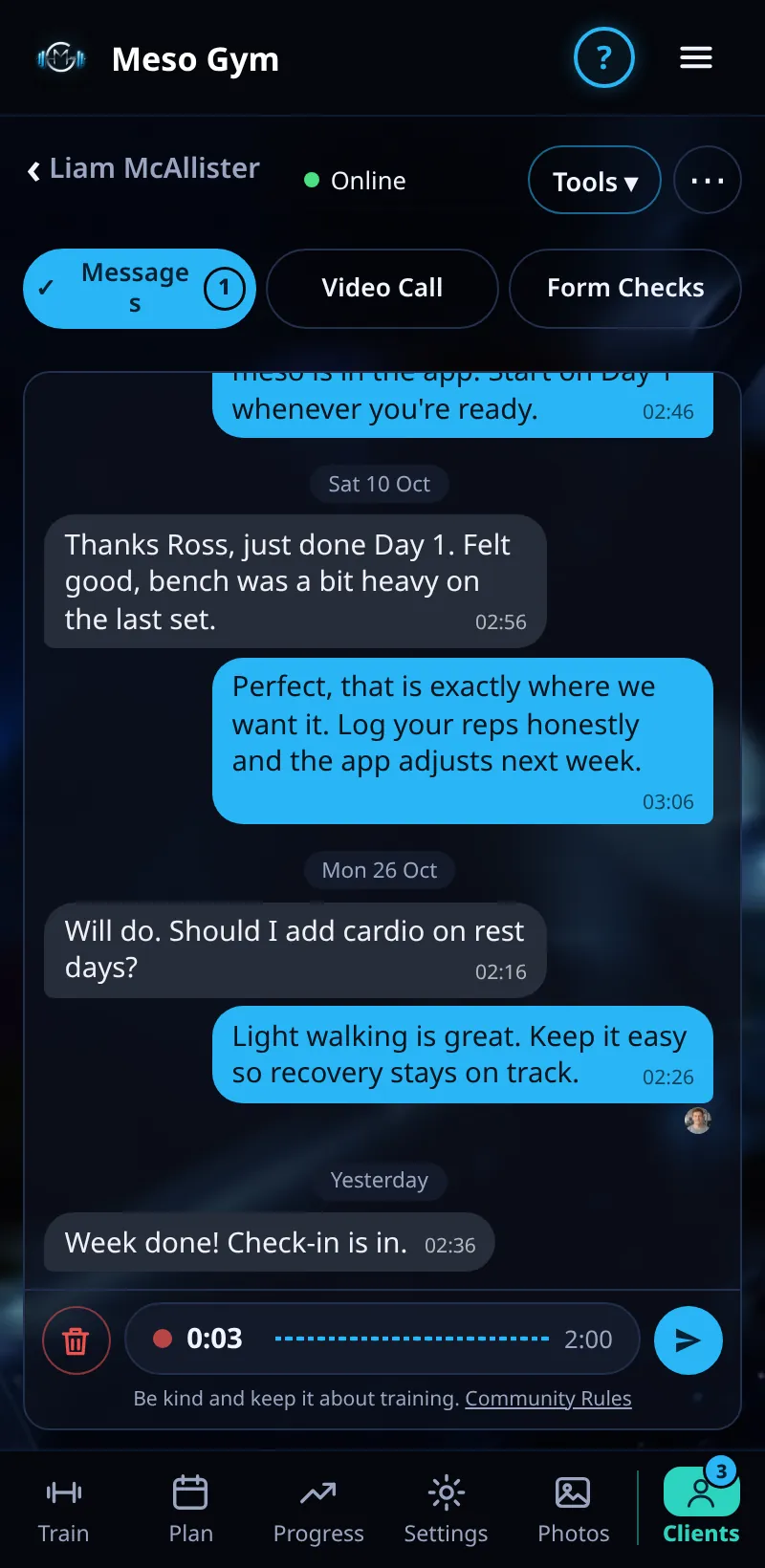
- Open a chat. While the message box is empty, the Send button becomes Record A Voice Note.
- Tap the microphone and allow the microphone the first time.
- While recording you see a red dot, a timer and level bars. Tap the bin to throw it away.
- Tap Send Voice Note. It plays back in the chat with a waveform.
Good To Know
- Voice notes last at least a second and at most 120 seconds.
- The other person gets a notification saying you sent a voice note.
How It Works
Voice notes work for coaches and clients alike, so a client can talk you through how a set felt and you can reply with coaching cues while you're between sessions. They sit in the chat like any other message, with the same ticks and Seen photo.
Common Questions
My note didn't send.
Very short taps are ignored: hold on a little longer, since a note needs at least a second.
Can I listen before sending?
You can see the timer and levels while you record, and bin it if you want to start again.
In the demo, sending messages shows Available In Your Trial.