Read Receipts And Seen
Know when your message has arrived and when it's been read.
Step By Step
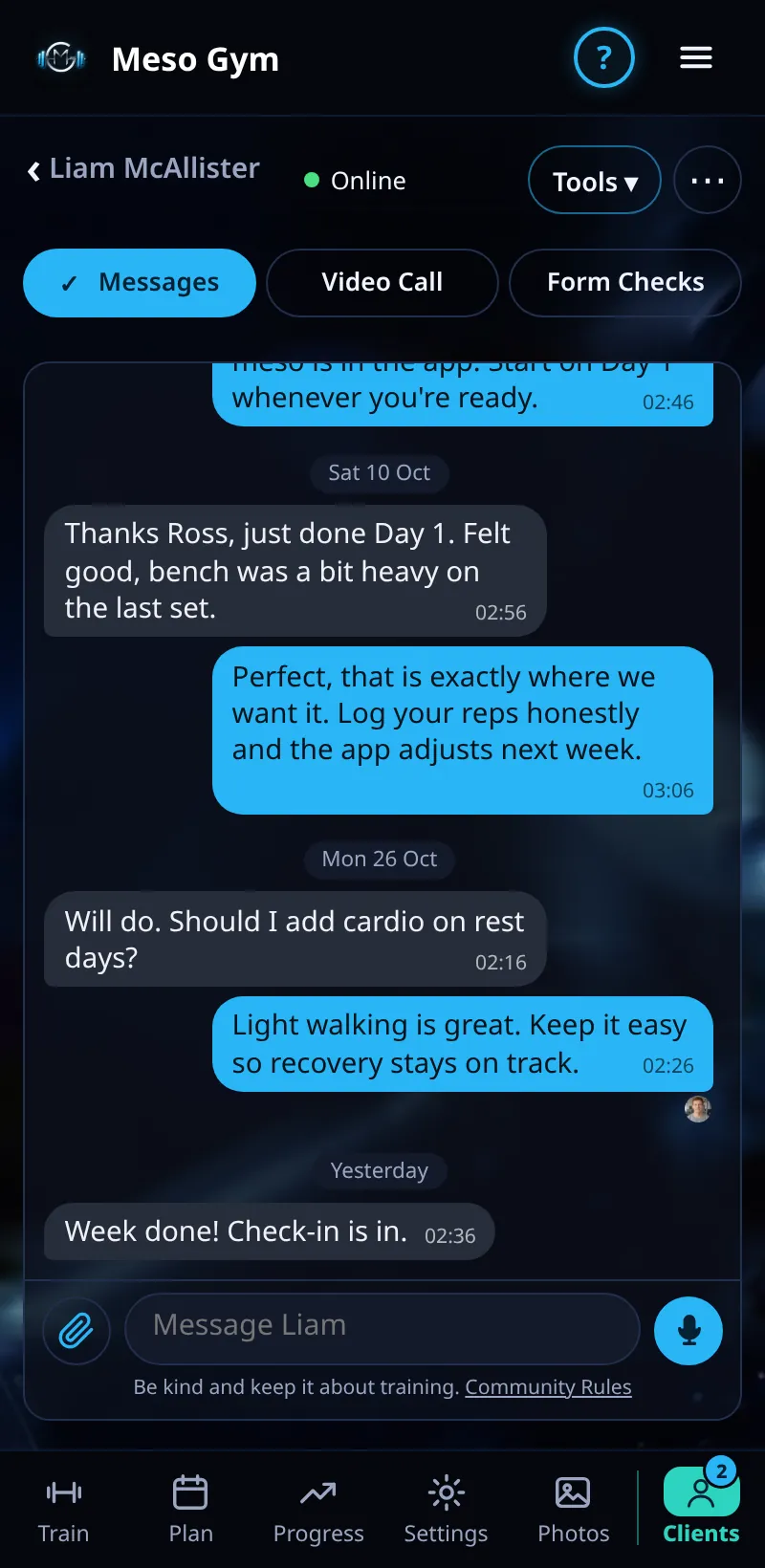
- Send a message in any chat.
- One tick (✓) means it's sent.
- Two ticks (✓✓) mean it's been delivered to the other person.
- When they've read it, their small round photo appears under the latest message they've seen, marked Seen.
Good To Know
- The photo moves down the chat as they read newer messages, so it always marks how far they've got.
How It Works
Read receipts work both ways: your clients see when you've read their check-in replies and form check notes, and you see when they've read yours. Tap a photo in the chat header to see it larger: clients see your specialisms, and you see the client's goal and up to two focus muscles.
Common Questions
Can I turn read receipts off?
No. Ticks and Seen are part of every chat.
Why is there no photo?
They haven't opened the chat since your message arrived.