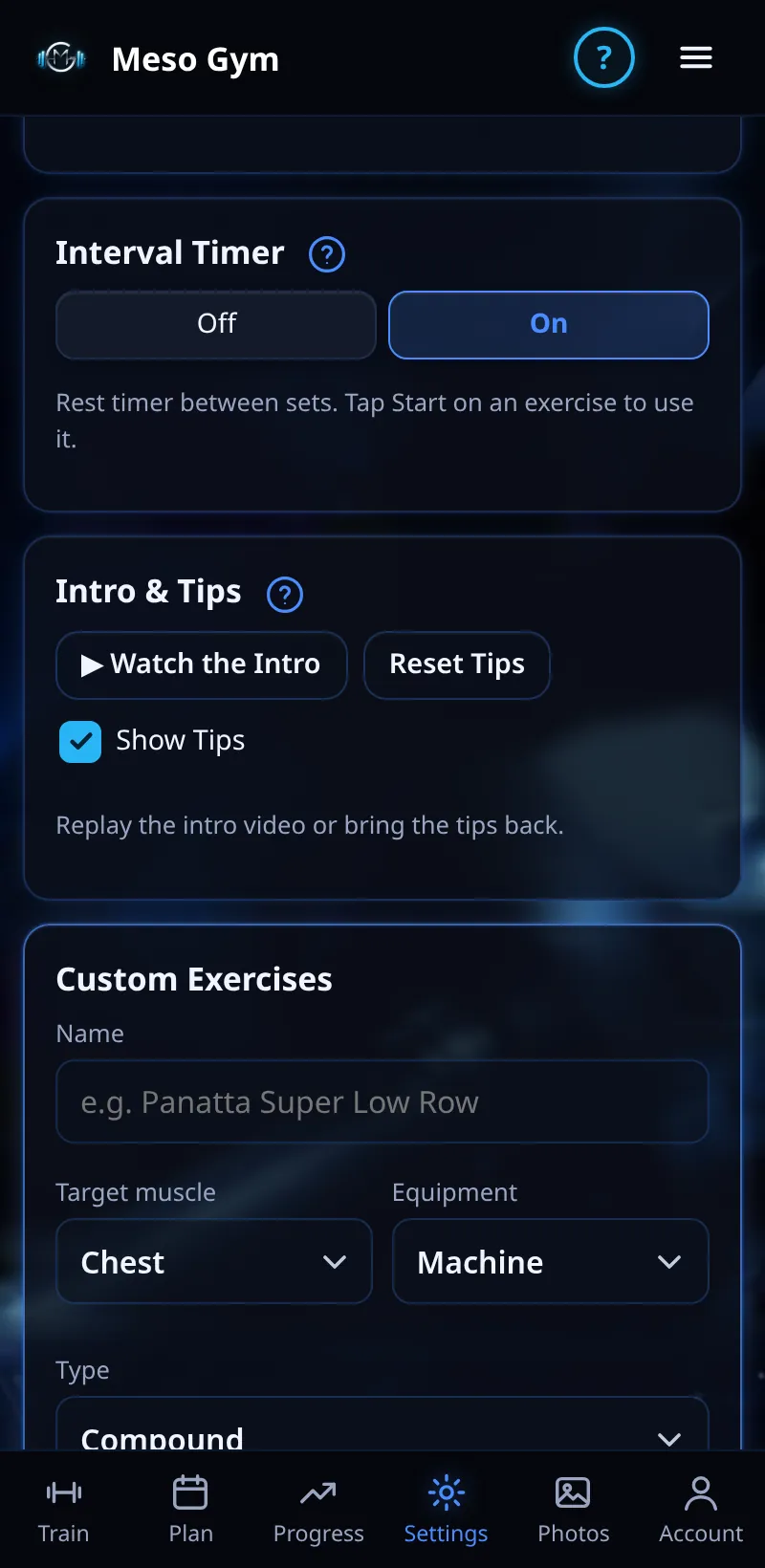
Rest And Interval Timer
A rest timer between sets, with a time for each exercise.
Step By Step
- The interval timer is on by default. Turn it off in Settings › Interval Timer, or with the timer switch on a workout.
- On an exercise card, choose a rest time: 1:00, 1:30, 2:00 or 3:00.
- Tap Start on the card to start your rest. Ticking a set never starts it.
- While it runs, use −15s, +15s, Skip or Stop.
Good To Know
- Until you choose a time, the rest suits how demanding the exercise is (the dot marks it).
- Screen locked? It keeps counting, and in the phone app a notification tells you when rest is over.
How It Works
Resting long enough between hard sets lets you hit your reps at the target effort, which is what drives growth. Big lifts usually need longer rest than small isolation work, which is why each exercise keeps its own time. The first time a timer wants to notify you, Meso Gym explains why before your phone asks.
Common Questions
Why didn't the timer start when I ticked a set?
On purpose: press Start when you're ready to rest.
Can I turn the notification off?
Yes, in your phone's notification settings for Meso Gym.