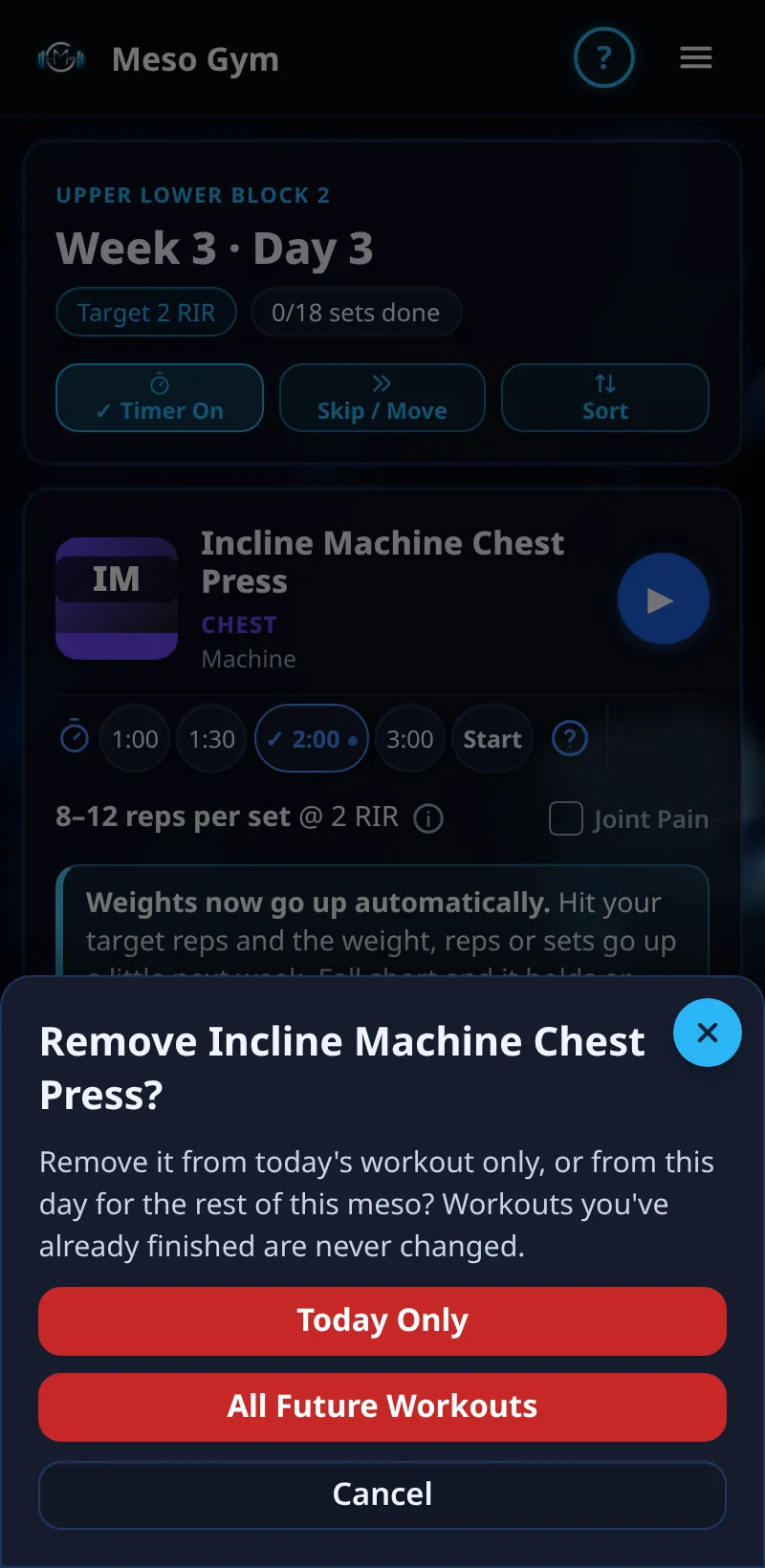
Add Or Remove An Exercise
Add an extra exercise, or take one out, for today or for the rest of your meso.
Step By Step
- To add, tap + Add Exercise at the end of your workout and pick one.
- Choose Today Only or Rest Of Meso.
- To remove, tap the red bin on the exercise card.
- Choose Today Only or All Future Workouts, then confirm with Remove.
Good To Know
- A removed exercise isn't a skip: Today Only brings it back next week with its planned sets.
- The last exercise in a workout can't be removed. Use Skip / Move to miss the whole day.
How It Works
All Future Workouts takes the exercise off that day for the rest of the meso, so its muscle gets those sets fewer each week; your other exercises keep their plan. Sets you'd already ticked for it today are discarded. An added exercise starts from the last weight you logged for it. Workouts you've already finished are never changed.
Common Questions
I have a coach. Why is there no bin?
Your coach plans which exercises you do. Use Swap or − Set for today, or message your coach.
Can I undo a removal?
Add the exercise back with + Add Exercise.