Skip Or Move A Workout
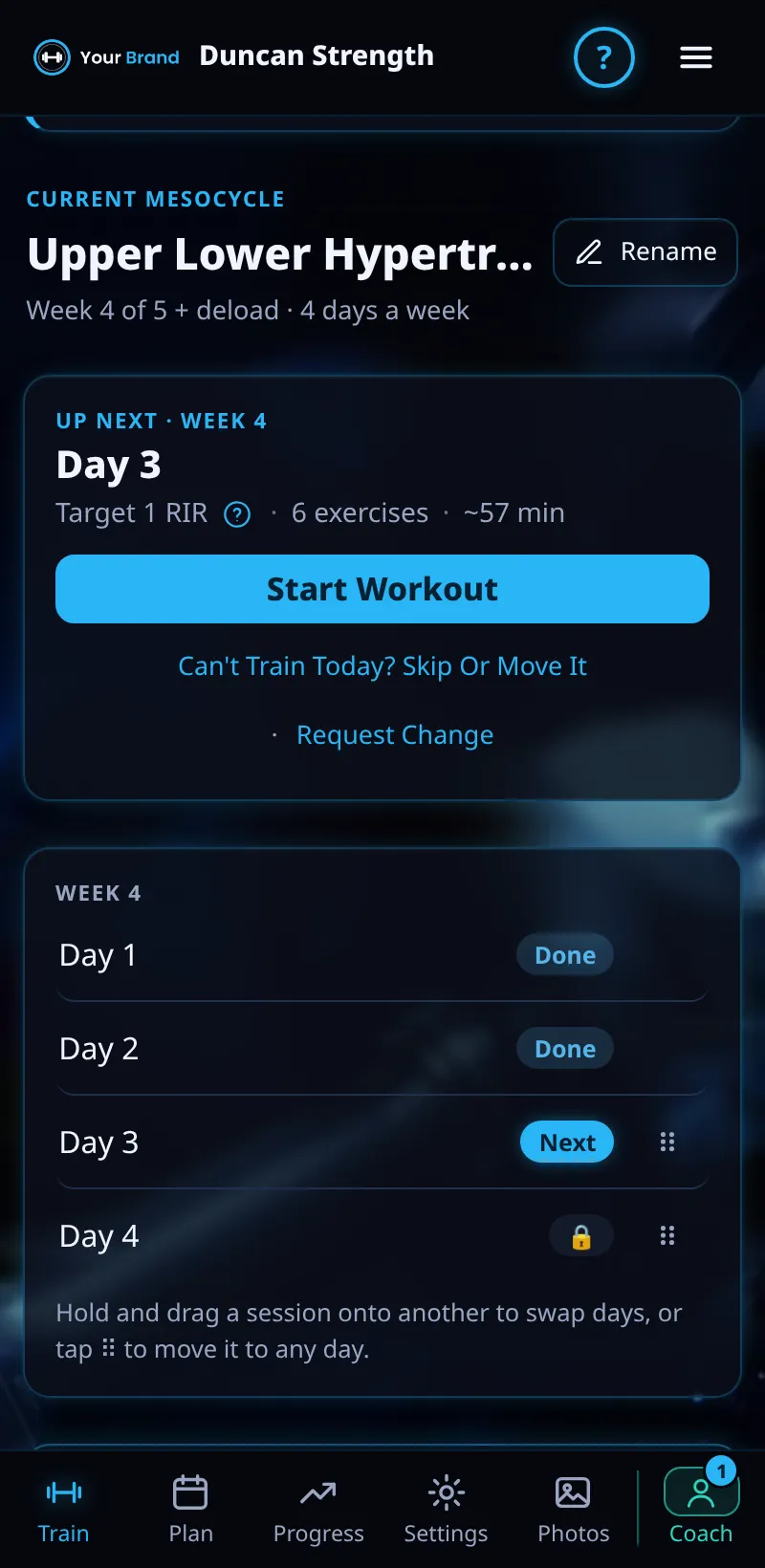
Can't train today? Skip the workout or move it to another day.
Step By Step
- Open the Train tab.
- Tap Can't Train Today? Skip Or Move It, before you tick any set.
- Train It Later Instead moves the day to the end of its week. Nothing else changes.
- Skip Session marks the day as skipped. Its muscles keep the same sets next week. This can't be undone.
- To put a session on a particular day, use Move To Another Day in the week list (see Moving A Day).
Good To Know
- Your coach sees it as skipped, not missed.
How It Works
Meso Gym runs a meso's sessions in order, not by date, so missing a day never breaks your plan. Days are labels: train Monday's session on Tuesday and the rest moves along. Skipping is for a session you won't do at all, and the muscles it would have trained simply hold their sets.
Common Questions
Can I undo a skip?
No. Skip Session can't be undone, so use Train It Later Instead if you might still do it.
Will my coach be told?
Yes. They see the day as skipped.
Clients get this in the app their coach invites them to. Coaches can see it the way a client does with See As Client in Demo PT.