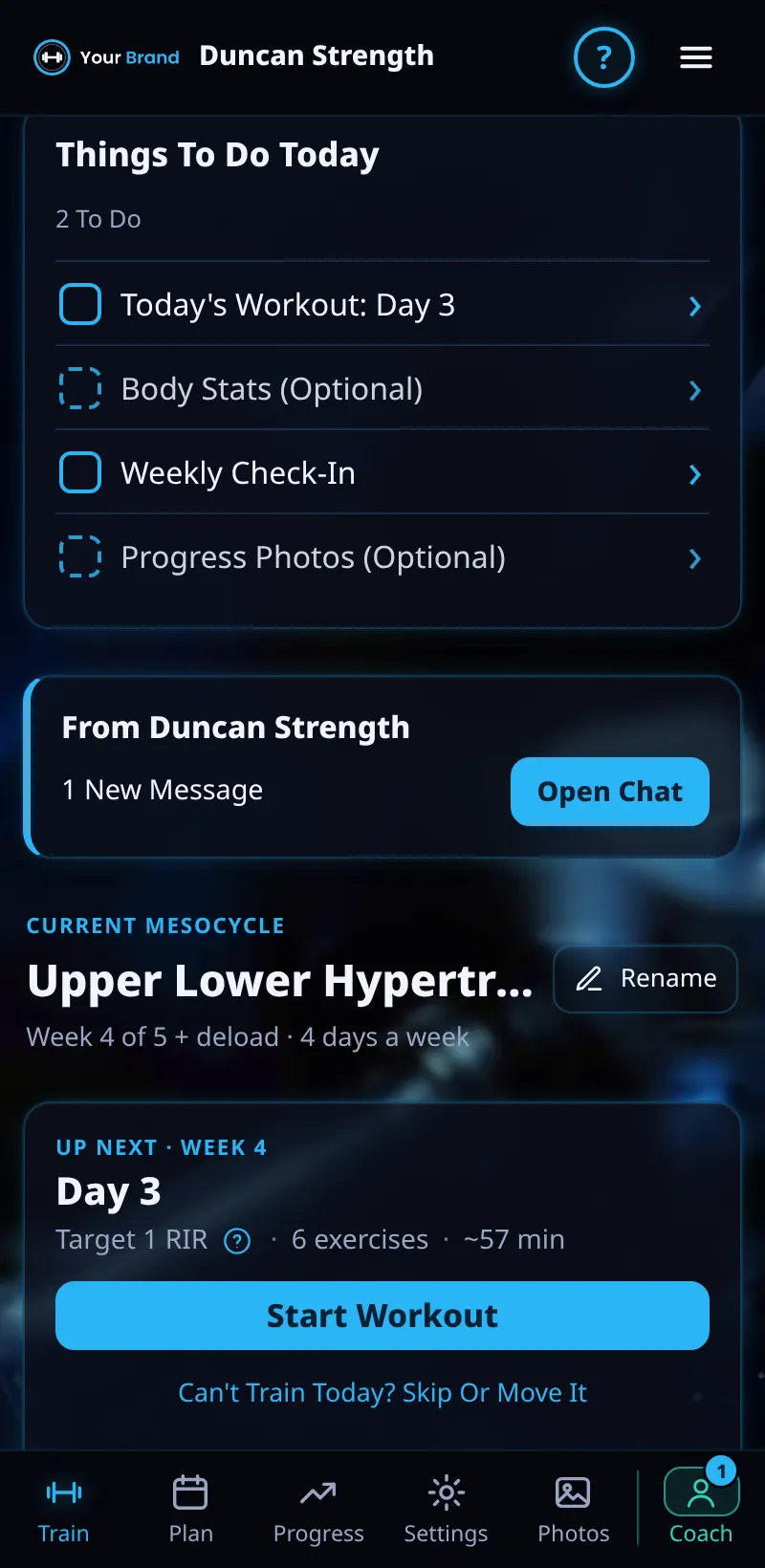
Things To Do Today
Your list for today: your workout, your weekly check-in, and optional body stats and photos.
Step By Step
- Open the Train tab. Things To Do Today is at the top.
- Each item shows To Do or Done, with a tick when it's done.
- Tap an item to do it: Today's Workout, Weekly Check-In, Body Stats or Progress Photos.
- Optional items are marked Optional.
Good To Know
- Tasks your coach sets for you show here too.
How It Works
Things To Do Today turns your coaching into a short list, so you never wonder what your coach expects from you. Under it, the week card lists this week's sessions in order, and you can hold and drag a session (or tap ⠿) to move it to another day.
Common Questions
Do I have to do the optional items?
No. They help your coach, but only the workout and check-in are expected.
Why is my check-in not showing?
It appears once a week, when it's due.
Clients get this in the app their coach invites them to. Coaches can see it the way a client does with See As Client in Demo PT.