Starting A Workout
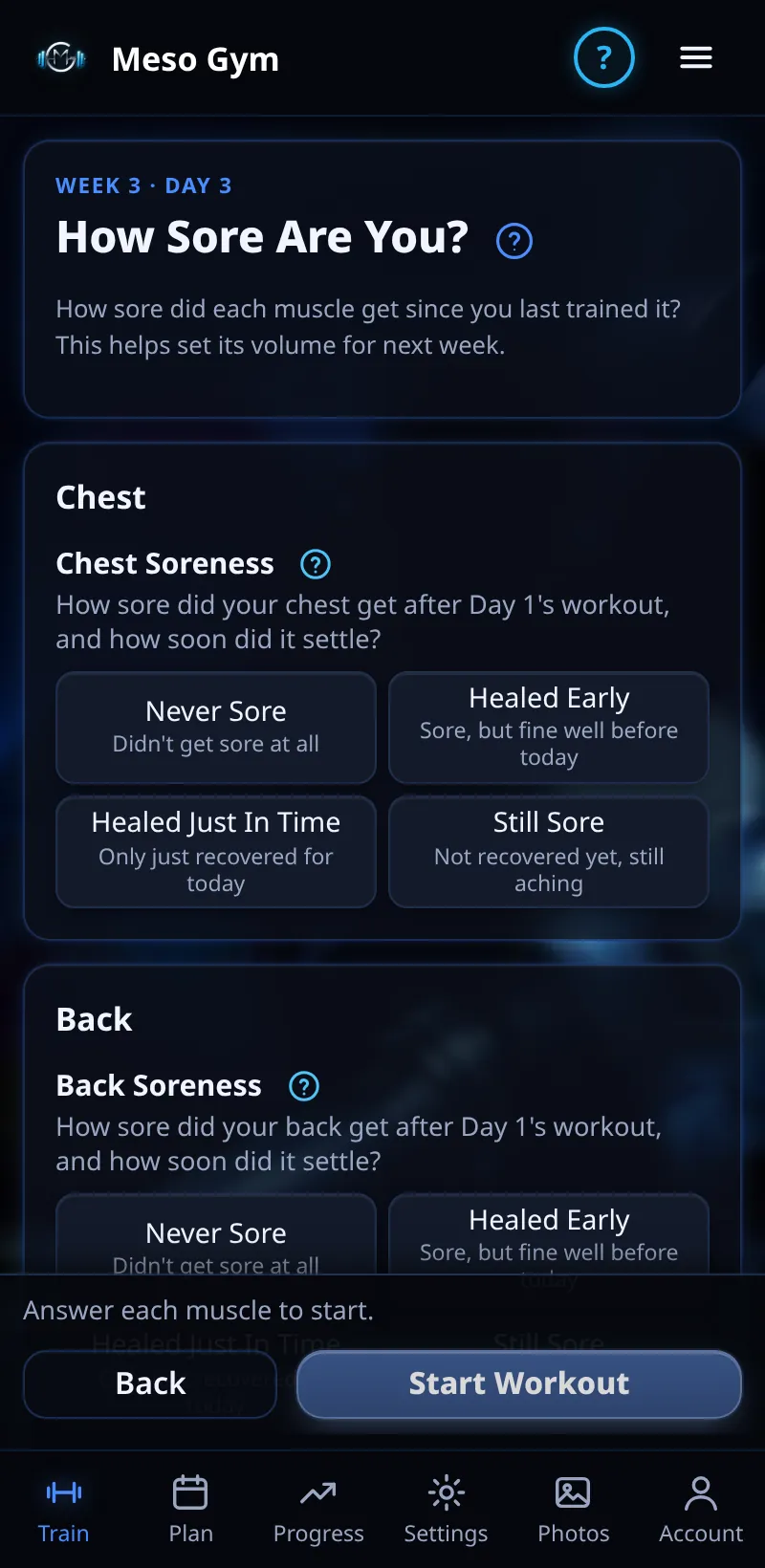
Start today's workout and tell the app how sore you are, so it can set your volume.
Step By Step
- Open the Train tab and tap Start Workout.
- The How Sore Are You screen asks about each muscle you've already trained this meso: Never Sore, Healed Early, Healed Just In Time or Still Sore.
- Answer each muscle, then tap Start Workout.
- Your exercises for the day open, with weights and reps to aim for.
Good To Know
- Up Next on Train shows the day, its RIR target, how many exercises and roughly how long it takes.
- Can't train today? Use Can't Train Today? Skip Or Move It before you tick any set.
How It Works
Your soreness answer is one of the signals Meso Gym uses to set this workout's sets. Healed early with work that felt manageable means room for more; still sore means fewer, so you recover and keep growing. Answer honestly: it's about the ache in the days after, not how tired you feel today.
Common Questions
Why don't I get asked on my first workout?
The question only covers muscles you've already trained this meso.
Can I change the order of exercises?
Yes. Tap Sort in the workout (see Sorting Exercises).